RevenueCat Onboarding Feedback
3/28/2024, 8:12:37 PM
Hello! After many years of observing friends praise (and work at!) RevenueCat, I decided to take the plunge and add RC to one of my apps. I have some feedback regarding the onboarding process:
After signing up and creating an account, I was taken to the "Add a Project" page (not even the Overview page), where I was asked to create a project. Great.. what's a project?
Not 3 seconds later, a survey modal pop-up appears with several questions about my demographics, promising to "customize the experience" depending on the answers. I really dislike these kinds of things, because they rarely ever do affect anything whatsoever about the experience/UI, and it just got in my way of trying to use your product.
I can't dismiss the survey, so I frustratedly get through it to make it go away.
I create a project for one of my iOS apps by configuring the App name/bundle-id and create an In-App Purchase key .p8 file and hit Save.
Cool.. now what? (The other app configuration sections, which I found later, did not appear at this point, so it felt like a complete dead end).
Out of confusion/curiosity I clicked on the "Overview" tab at the top of the page. Oh, there's a checklist of what I'm supposed to do!
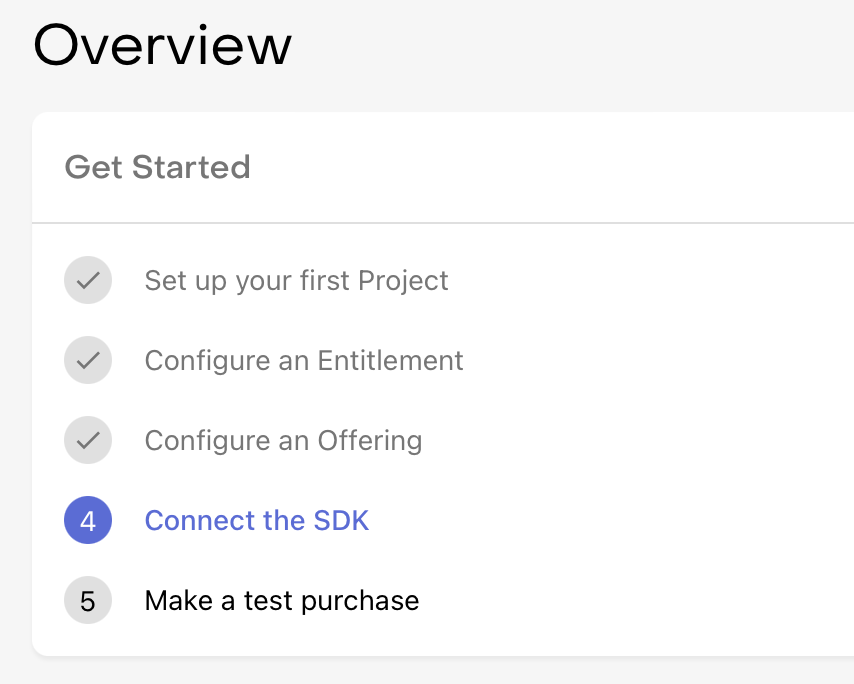
("Configure an Entitlement" was highlighted)
What I really wanted to do was add the Swift Package to my app in Xcode, but the "Connect the SDK" text was un-clickable... in fact, all the steps are un-clickable except the currently highlighted one. I think this is not a great choice because I wanted to explore the steps and possibly do some out-of-order.
Ok, so I click on "Configure an Entitlement" and set off setting up some entitlements, products, and offerings for my project.
Upon looking at the Products settings, I see the option to add a key to automatically import IAPs from App Store Connect. Cool!
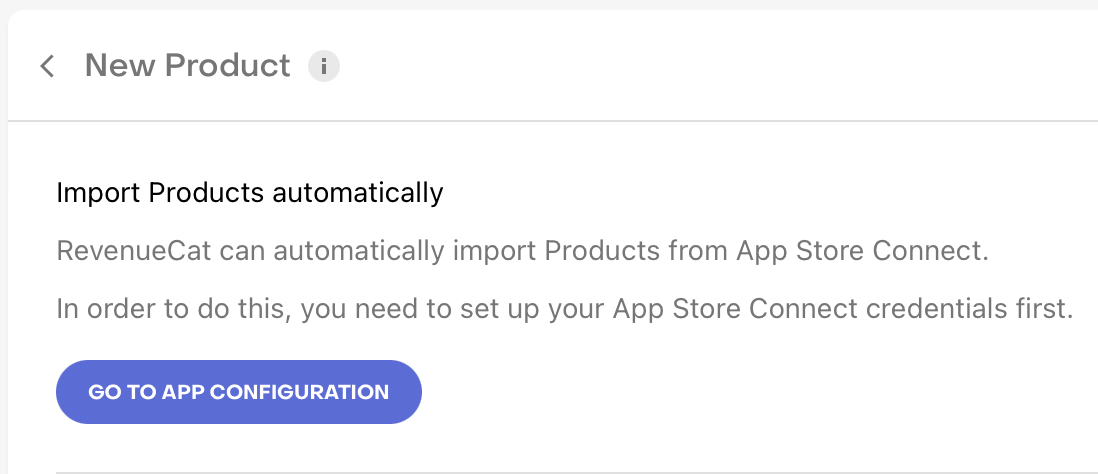
I click on "Go to App Configuration" ... ohhh, there's a lot more settings I can configure (not shown after initial setup)!
I read the instructions about how to setup an App Store Connect API p8 key so you can import my info, and I am met with this extremely strongly worded warning from Apple:
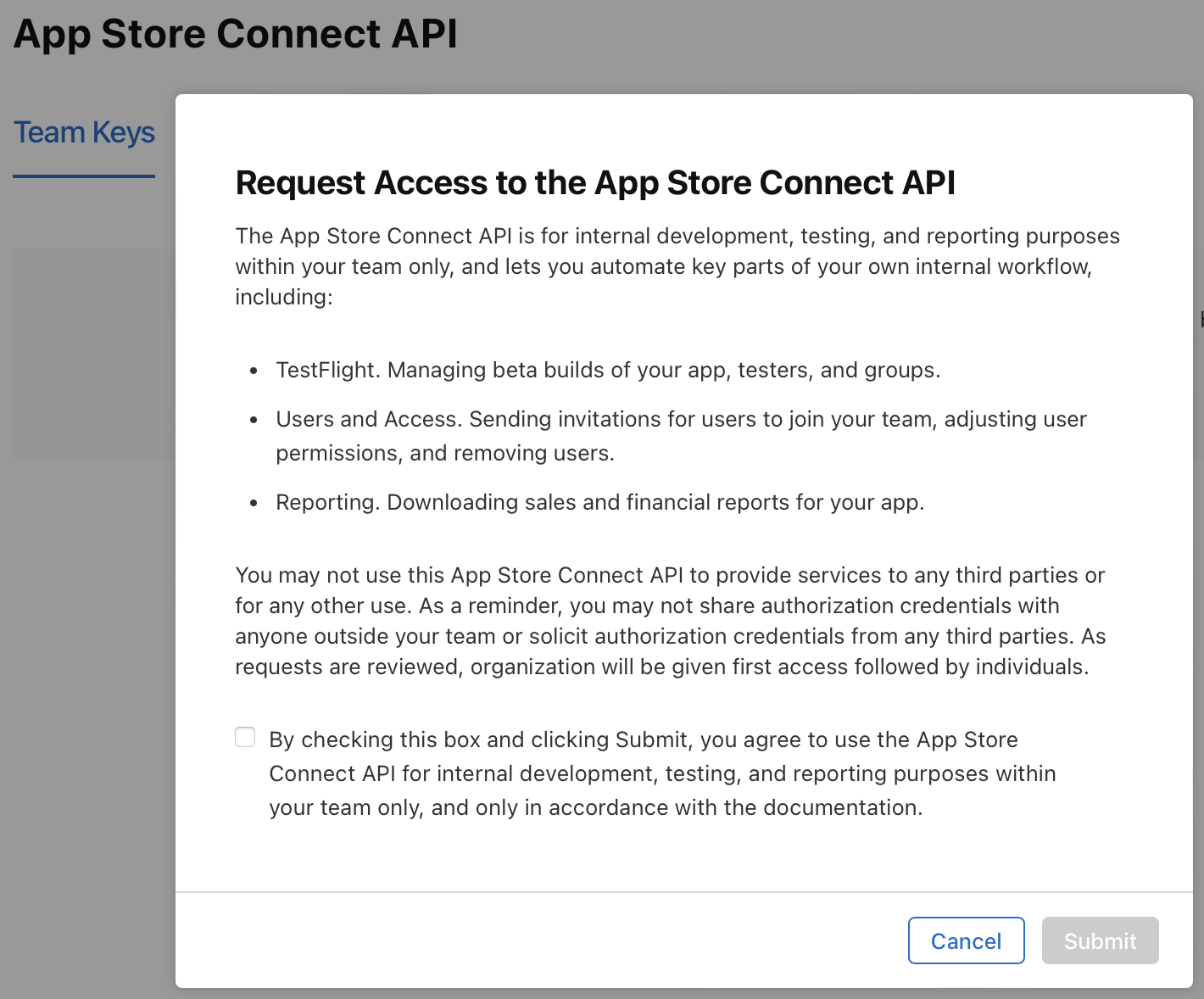
It seems like what RC is asking me to do is expressly against the terms of the use of this API. I asked one of my friends (an employee of RC!) if this is normal or what I should do.
"Request access! Everyone does it... it's fine."
I do not like that. I am sure most devs go through with this with wanton disregard for the rules, but I am not most devs. I am not risking my developer account for this.
So, I abandon ship. This is a bummer, but I would rather enter my products manually.
I continue creating an entitlement, product, and package for my app. I called the entitlement "pro" and similar for the product and package, however later on I see this verbiage on the Entitlements screen: "Manage Entitlements across all Apps."
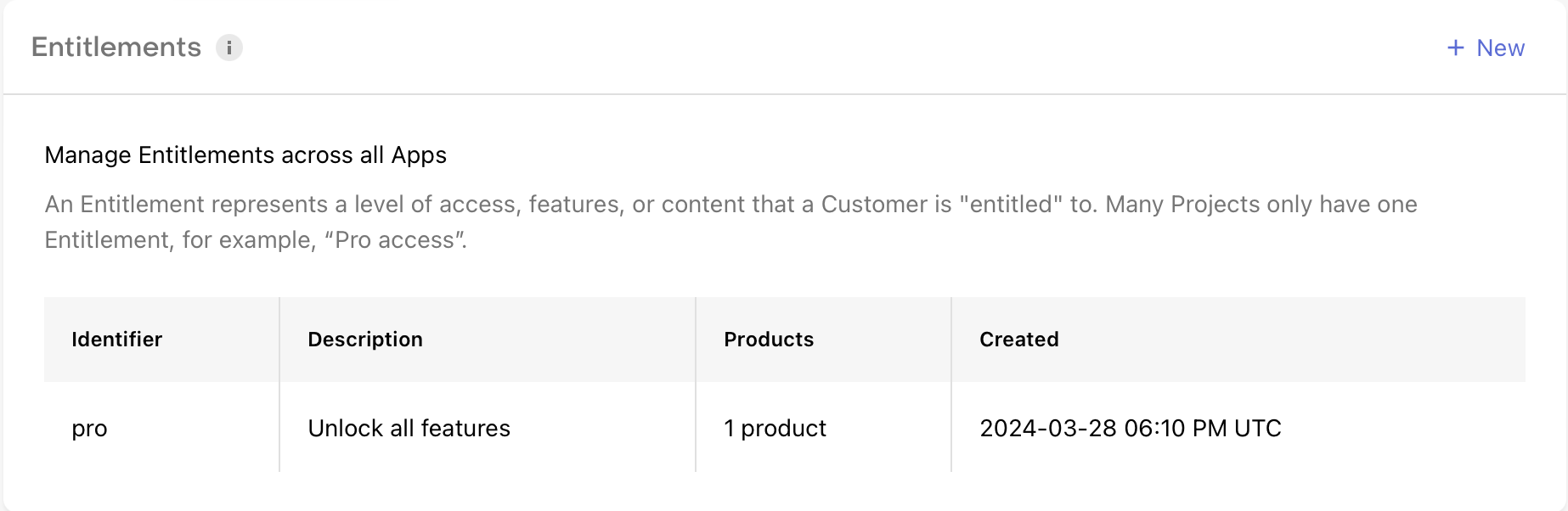
I assumed (wrongly?) that the entitlements, products, and packages were "scoped" to the Project I am working on, but I think that is not correct?
As far as I can tell, the only way to navigate to this page with the sidebar that includes the "Product catalog" settings is to click on the Projects dropdown at the top and select one of the apps first. The UI even has the currently selected app name prominently displayed at the top, so it makes it even a bit more confusing that the Product catalog settings are globally scoped??
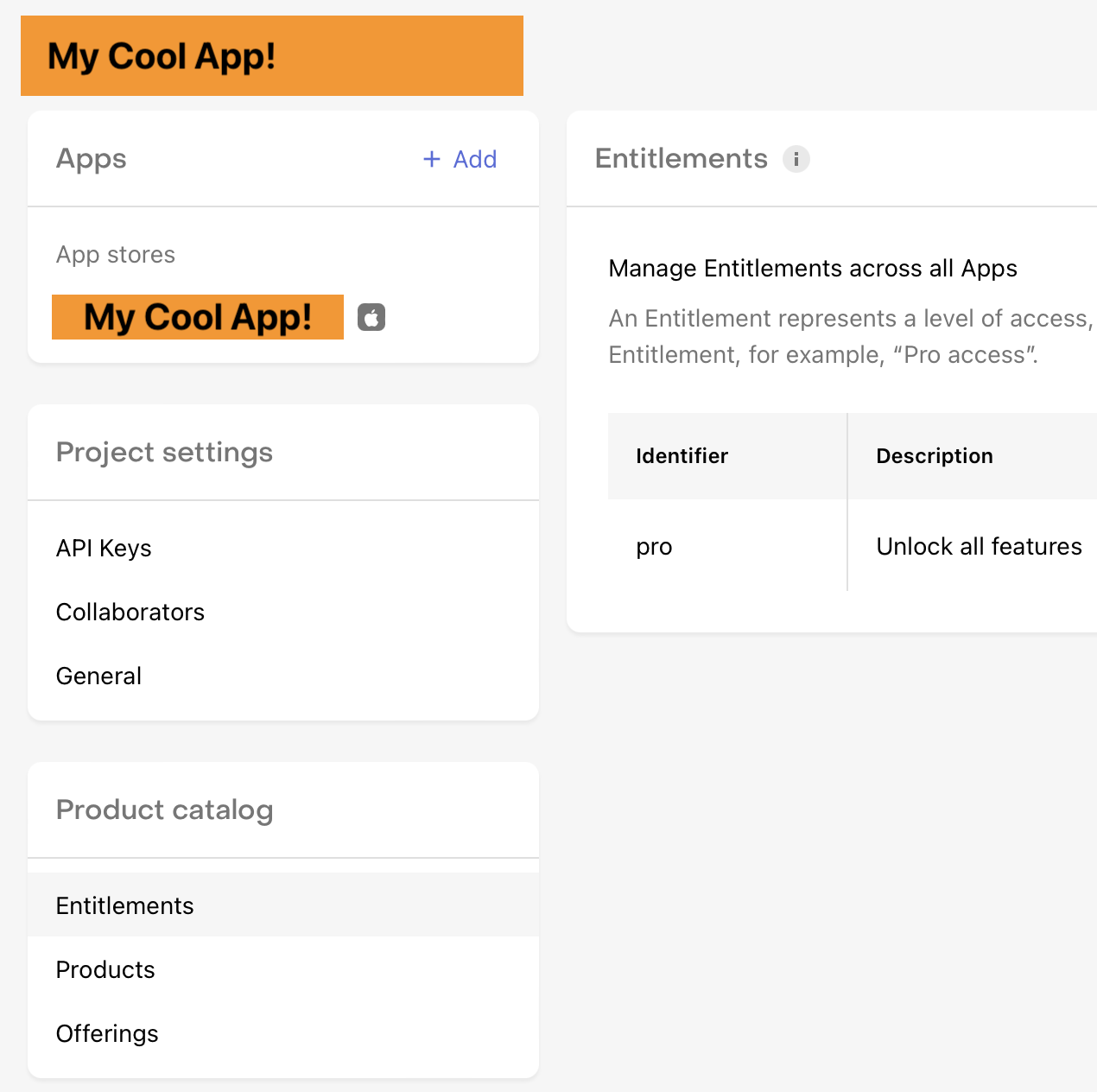
It now occurs to me that "pro" is not a good name for my product settings, but it turns out that I cannot edit the name/identifier of any of the entitlement, product, packages... so I will need to eventually delete them all and start over. Erg.
I finally get to the "Connect the SDK" step of the process, so I click to open the link, and I am taken to https://www.revenuecat.com/docs/getting-started/quickstart#5-install-the-purchases-sdk
But, I think the #5-install-the-purchases-sdk anchor on that URL is outdated, because it doesn't lead anywhere, and instead I am stuck reading the entire page from the top, which covers all the steps I've already taken and I try to scroll past all of it to get to the SDK part.
I open the https://www.revenuecat.com/docs/getting-started/installation/ios link, and I read the "Install via Swift Package Manager" section at the top. Great!
Uh oh, wait.. there's a "Install via Swift Package Manager with Xcode 15" section right underneath... crap. Luckily there is not much different, but I would strongly suggest moving the Xcode 15 section above, and rename the other section "Install via Swift Package Manager in older Xcodes"
Further down the page there is an instruction to enable In-App Purchase capability in my app:
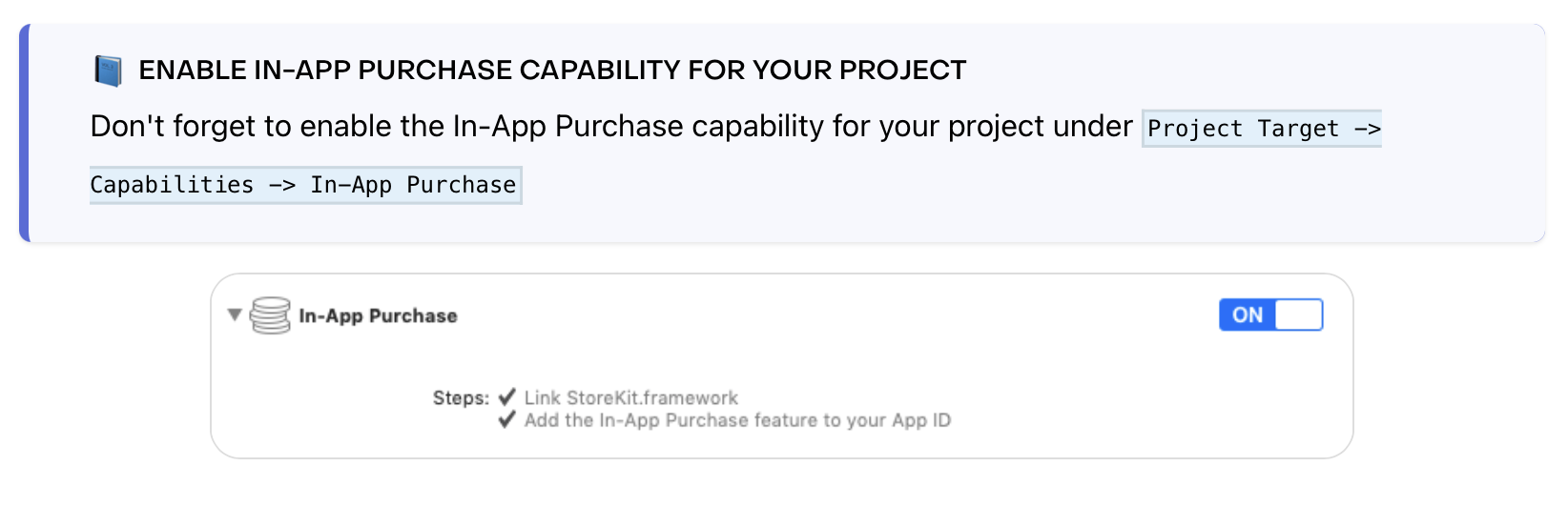
It turns out this information is very outdated. All apps have In-App Purchase capability by default now, and there isn't even an IAP capability listed in Xcode anymore, but I did waste several minutes looking for it (and even logging into the developer portal to configure my app identifier manually). I would suggest removing this, or maybe making a note that this is only applicable to very old Xcodes or apps.
Ok, back to the SDK Quickstart doc to see how to use the SDK in my app.
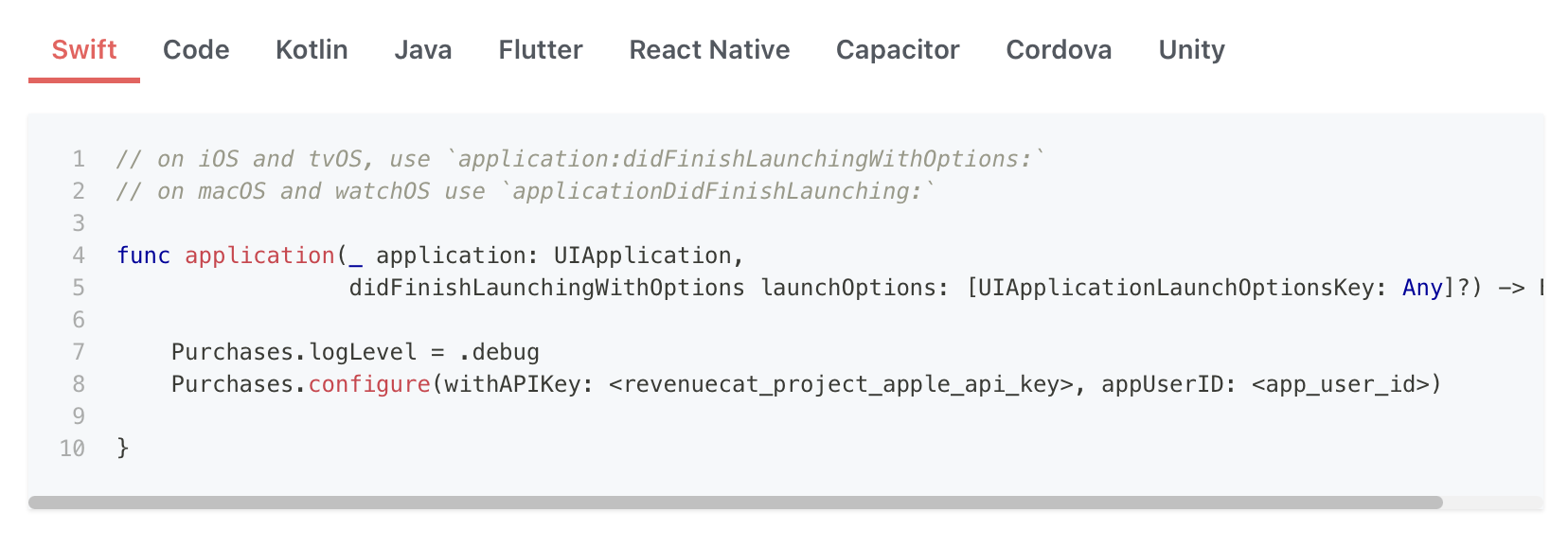
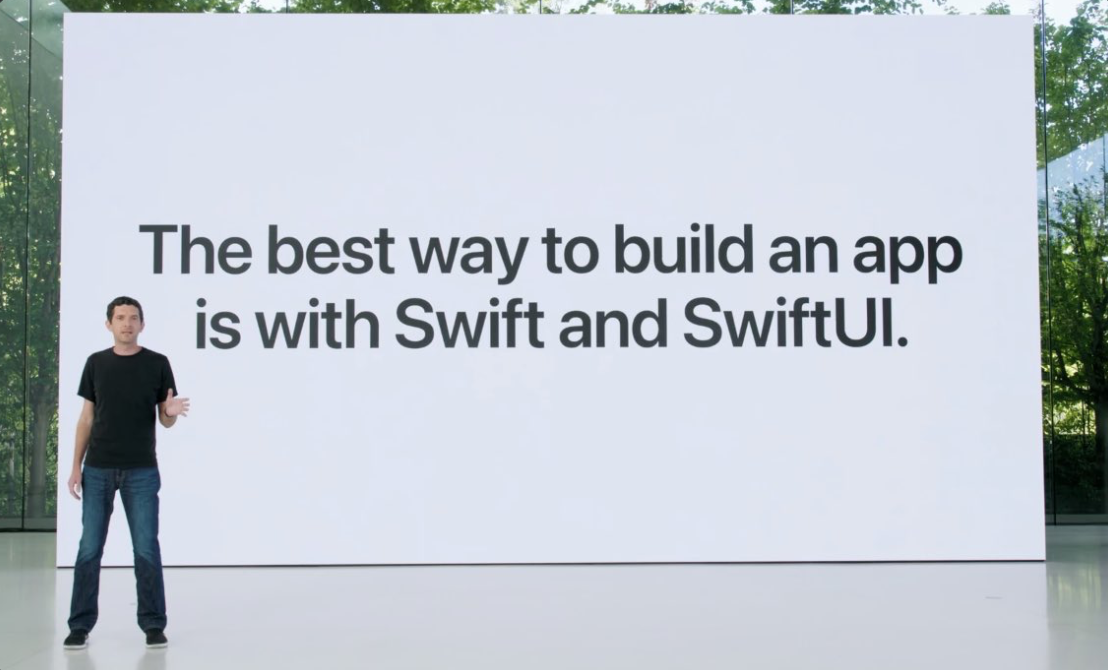
Oh my. It has been ages since I've used application:didFinishWithOptions: ... um, ok.. I'll check the SwiftUI example code. Oh no, there isn't any. What would Josh Shaffer say??
Regardless, import RevenueCat is missing from the example code, which tripped me up for a second, but it would be nice to see it there.
Ok, I decide to put the initialization code in my App's init() method. Is that ok? I'm not sure.
Great, with that out of the way I want to know how to go about testing purchases with this exciting new tool. I go back to the Overview and... oh crud, "Make a test purchase" is still un-clickable because I apparently haven't completed the "Connect the SDK" step yet? I'm not sure how to complete it? I guess I might have to run my app first in order to report to RC that I've hooked up my key? I just want to read the docs.
Luckily, I'm able to click around enough to find https://www.revenuecat.com/docs/test-and-launch/sandbox/apple-app-store and read through the info. So now I am armed with information and ready to really start the integrations and create the IAPs on App Store Connect.
This is as far as I have got. I haven't actually tested the integration or run the app with the SDK code yet. I had such a rough time getting to this point that I wanted to write this all down and give some (hopefully constructive) feedback.
Native app? Imagine my complete surprise when I search the App Store for RevenueCat (so I can keep track of my sales, get notifications, etc) and find that there is no first party app for RC??? I only see several (somewhat sketchy looking) RevenueCat-adjacent apps that use the API (I hope?) to show such data. This seems like a big missing piece to the RC ecosystem, but maybe I am missing it? If not, please make one??
Thanks for listening, and I look forward to seeing RC in action!