Linear Issues
6/22/2026, 4:03:43 PM
Disclaimer: NONE of the words of this post were generated with AI. Everything was hand-typed using human time, brain cycles, and heartbeats.
Ok, look. I'm care-mad. I have been using Linear a lot while developing my upcoming app, NeoCam (a retro pixel art camera). I am writing this post because a Linear employee reached out to me for specific feedback when I posted the following tweet.

I honestly think Linear is pretty great. But there are so many little broken windows and bugs that make me not really enjoy using it day to day.
I am an ex-Apple engineer. Which means nothing, except to signify that I have years of experience with the world's greatest bug and issue tracking system of all time: Radar.
I know from the outside that Radar seems like a black hole where 3rd party developers sometimes file bugs and never get any reply, but inside the company it is a completely different story. Everything runs on Radar. The employees, from engineers to EPMs to designers, use it all day every day. If it's not in Radar, it doesn't exist.
All this to say, I think I have learned what makes great issue tracking software.
I interviewed for the iOS position at Linear a few years ago. Did I think that having someone on the team that had industry experience with industry-leading issue tracking software and 15 years of iOS development experience would be a benefit to Linear? Yes. Did they hire me? No.
In the end I think we both dodged a bullet because it felt like there was not a culture fit, in both directions.
Since there is no public version of Radar, Linear has been the next best thing, and I have very excitedly told many of my engineering friends this! But just to give some perspective, here is how I would rank all existing issue trackers:
- Radar: A+
- Linear: C-
- Literally everything else: F-----
So really, Linear is still so far ahead, but there is so much more headroom.
What follows is a list of "grievances" (for lack of a better word). Do I think anything will change because of this post? I don't know. But since I have Linear's ear, I thought I would lay it all out there... because, again, I really do care.
Network Issues
I have been seeing this error alert very frequently in the app lately.

Attachments
The way attachments are handled in Linear is atrocious on many fronts.
- Attachments can be attached to:
- The main issue description
- Any comment in the issue thread
- Any reply in the issue thread
- Images are treated specially and display fully inline after being uploaded as an attachment. This may be aesthetically pleasing, but it is not very useful in practice. If I upload multiple screenshots of an issue I'm having, I now have to scroll past all of them every time I view the issue or interact with any of the controls below the issue description.
I appreciate that on the web I can use the grabbers to shrink the images to the smallest possible width, but this still creates a one-column stack with a bunch of wasted space to scroll past.
There is no such shrinking affordance on the iOS app.
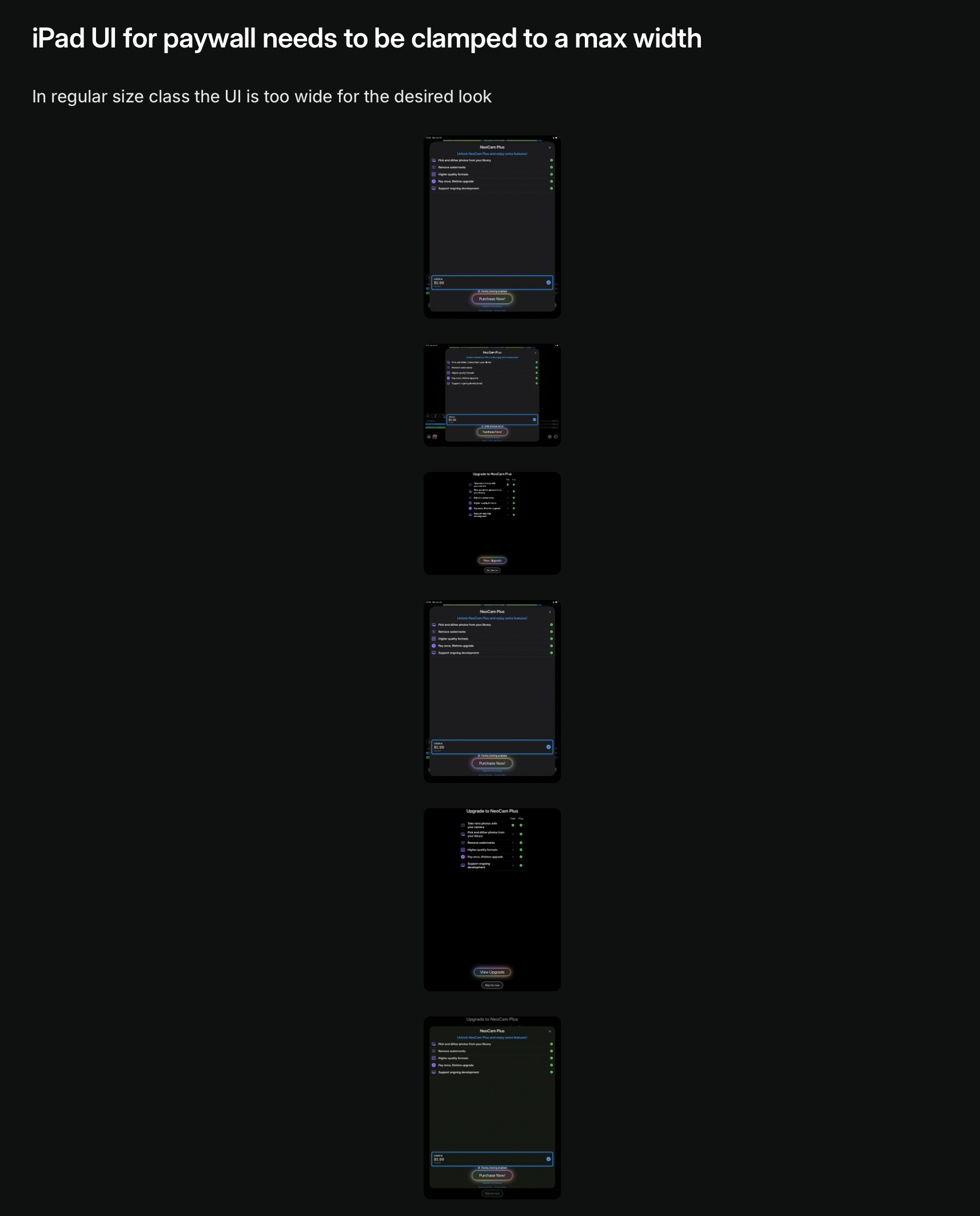
- The iOS app can't view text file attachments. It bounces me to Safari to login to the
linear.appwebsite. I just won't put in that much effort.
When developing serious software, there may be issues that have dozens of attachments like screenshots, voice notes, screen recordings, log files, design files, 3d models, zip files, or any number of other files.
There needs to be a unified Attachments View for an issue where every single attached file is listed and can be easily viewed or downloaded. Having all the attachments strewn about an issue in one of several places is crazy making. I would be ok with the current situation (attachments everywhere) if there was also a unified location to view them all and if images were treated as regular file attachments (they could even show a small thumbnail if desired).
iOS Drag and Drop bugs
Speaking of attachments...
I was running through my app on my iPad and noticed several UI polish issues. I wanted to upload the screenshots to the Linear issues I created. I would prefer to use drag-and-drop on iPad instead of using the system picker UI inside Linear (not Linear's fault; Apple's implementation of the photo picker on iPad is pretty bad (too small, hard to navigate, etc)).
I setup the Photos and Linear app side by side:
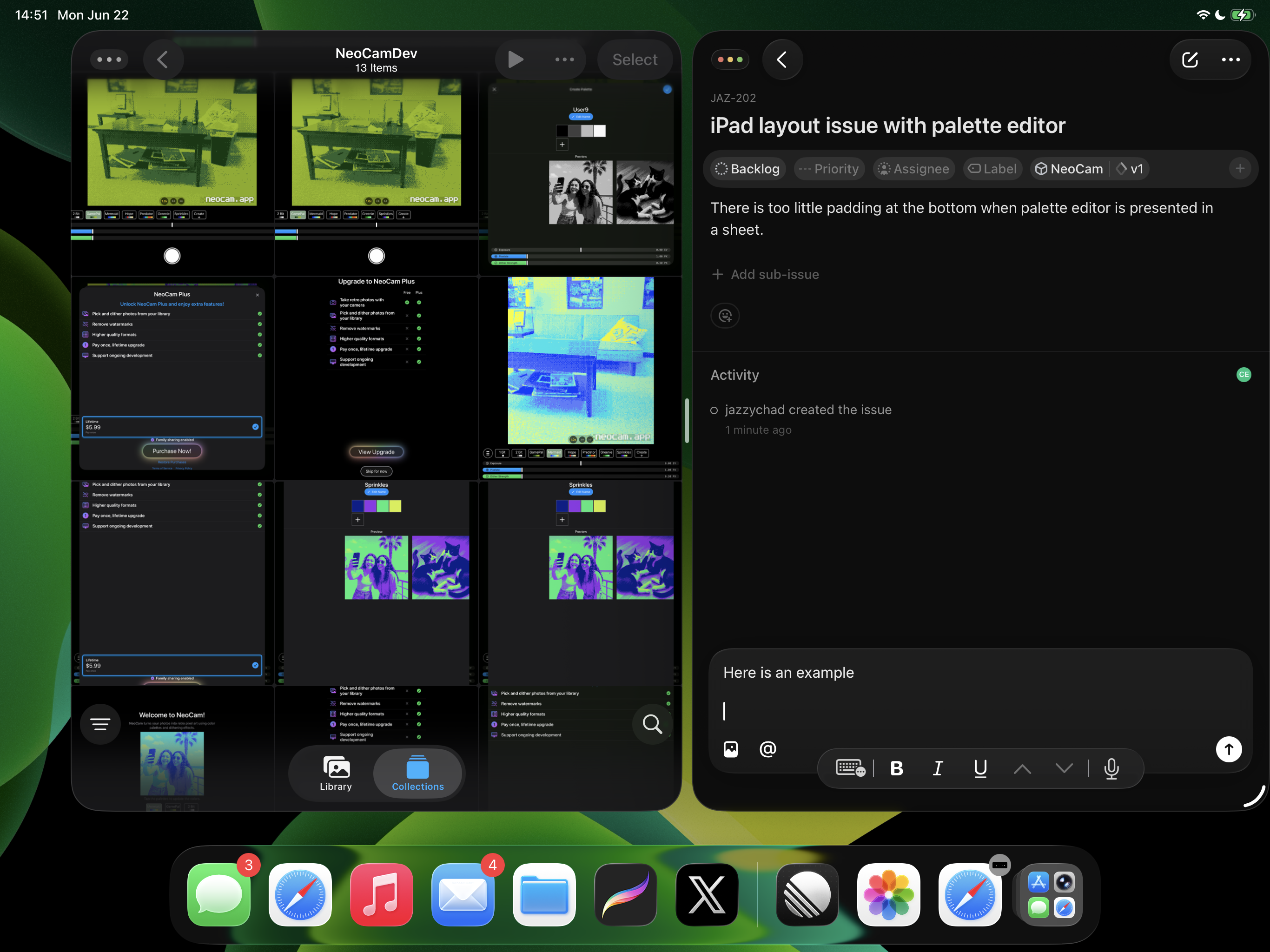
I initiate the drag of the image from Photos app:
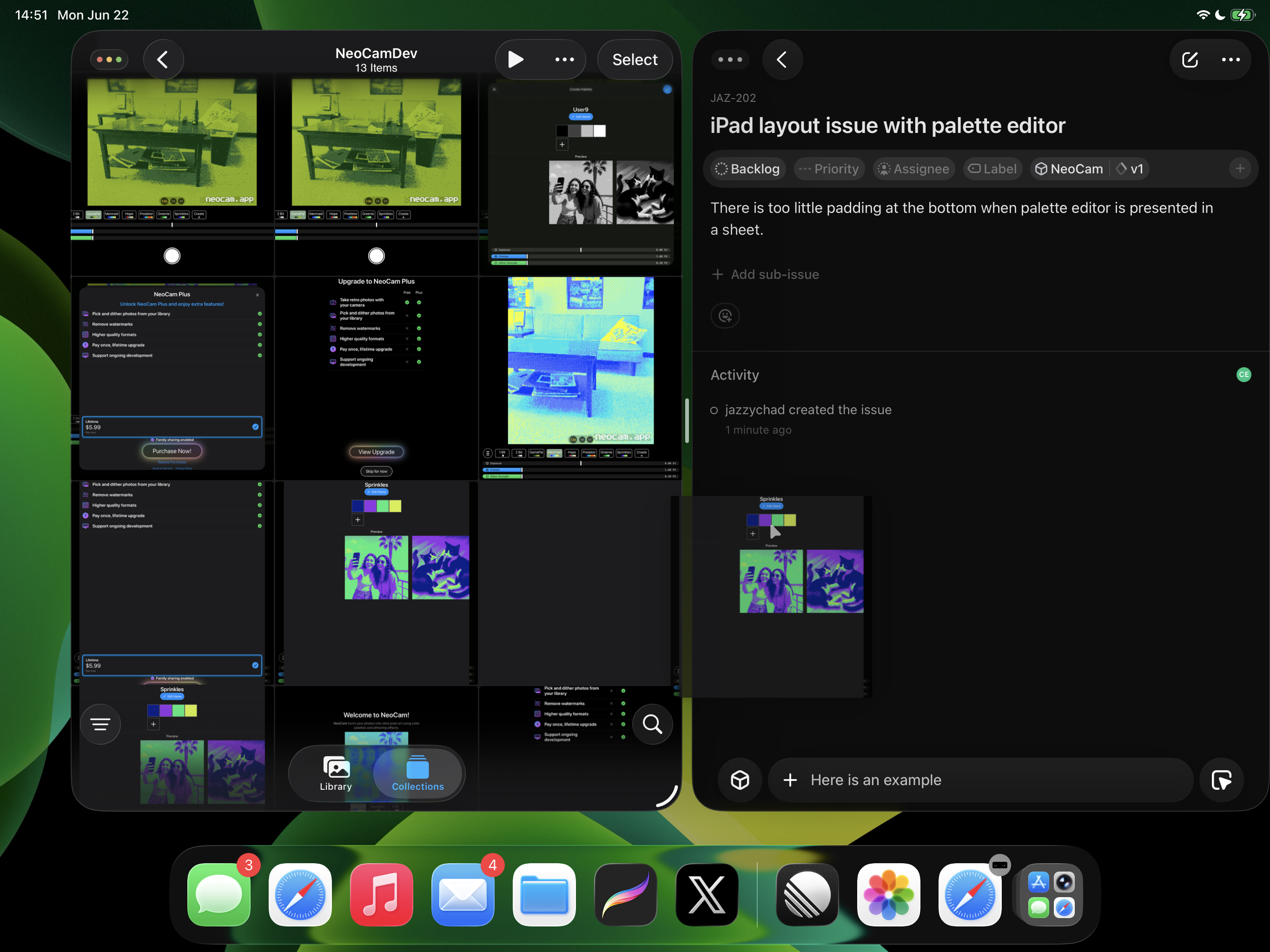
I position the drop over the comment text field:
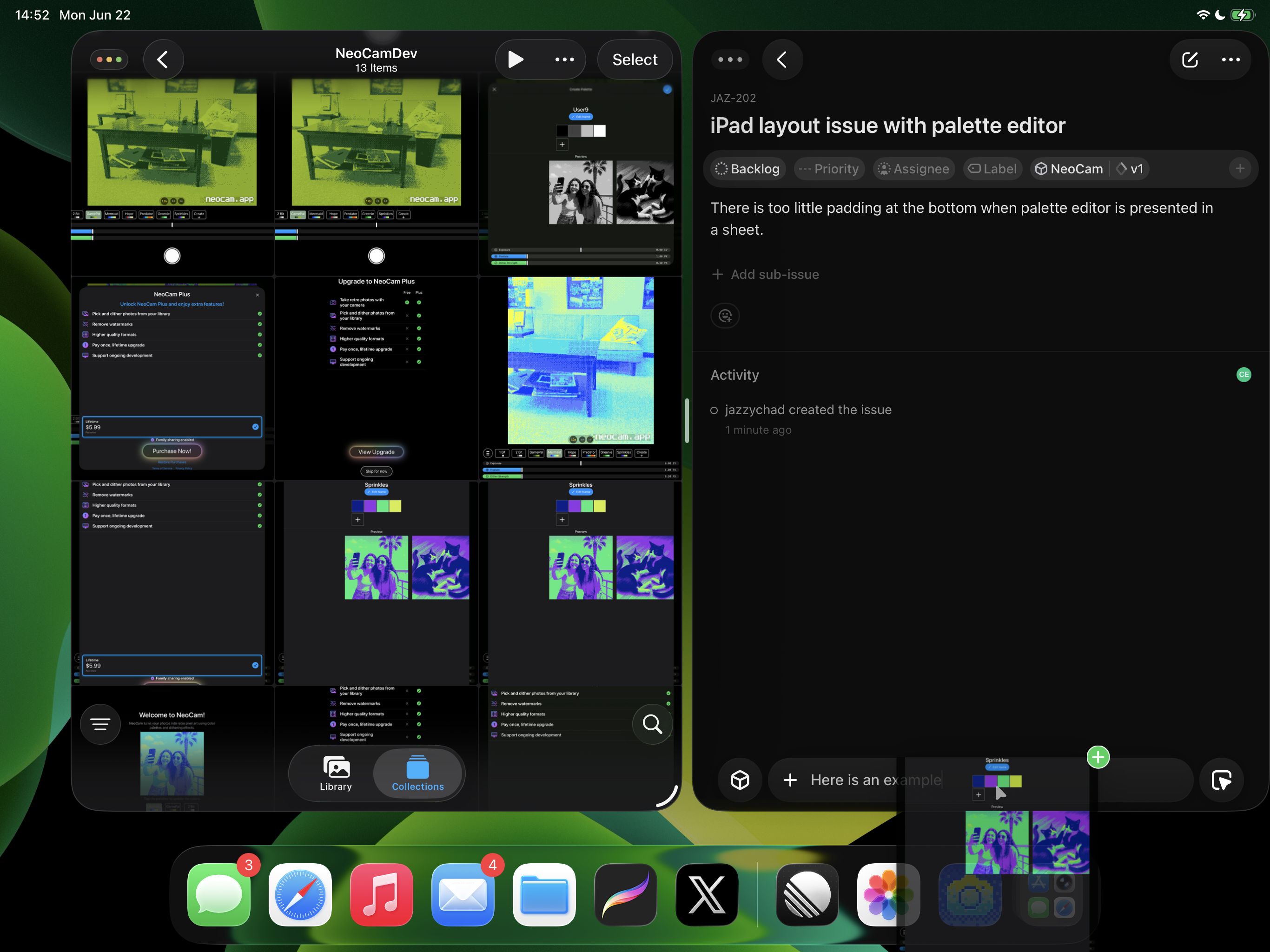
I drop the image and it appears correctly in the text field:
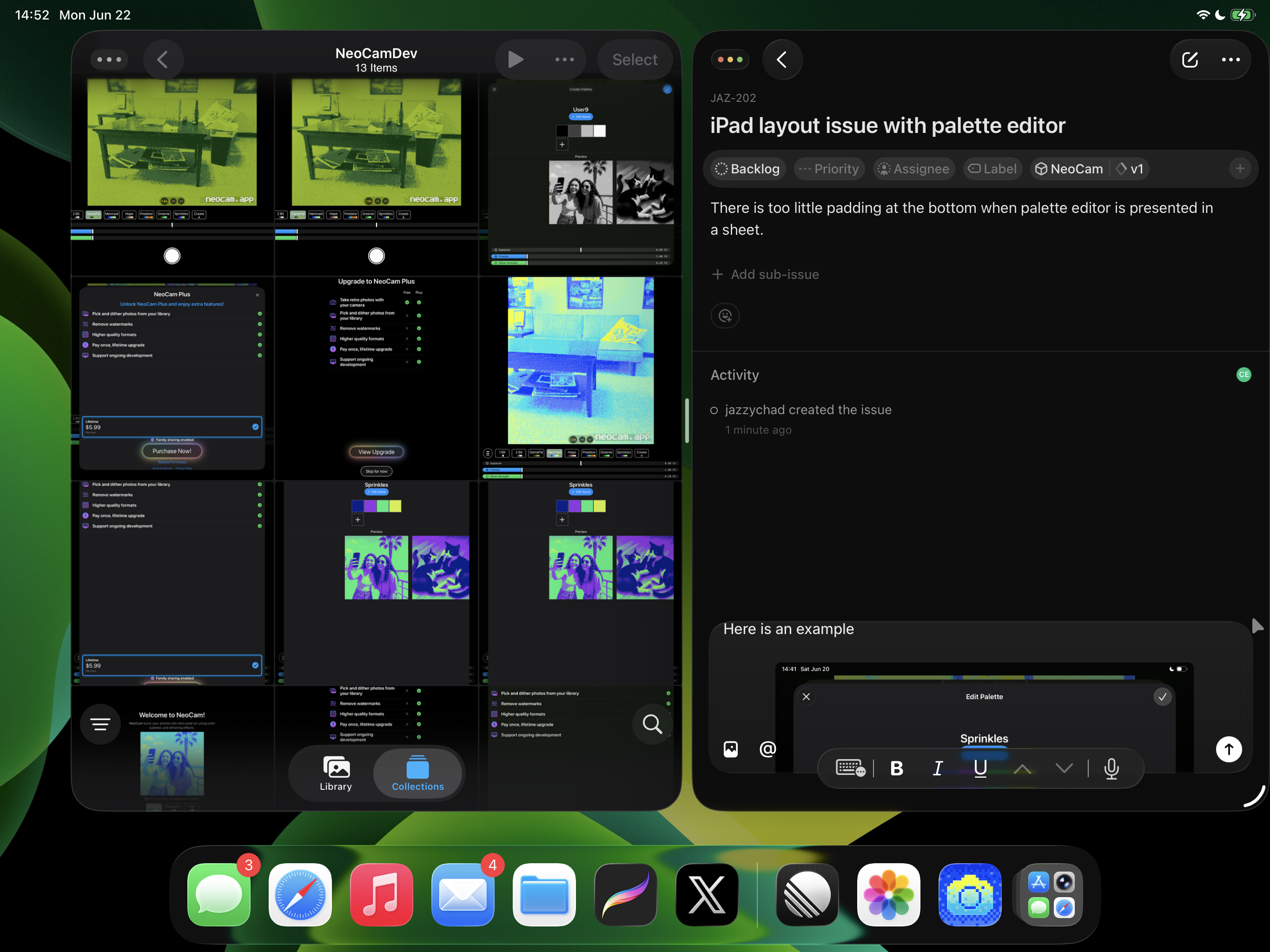
I send the comment, and the image appears as a large gray box:
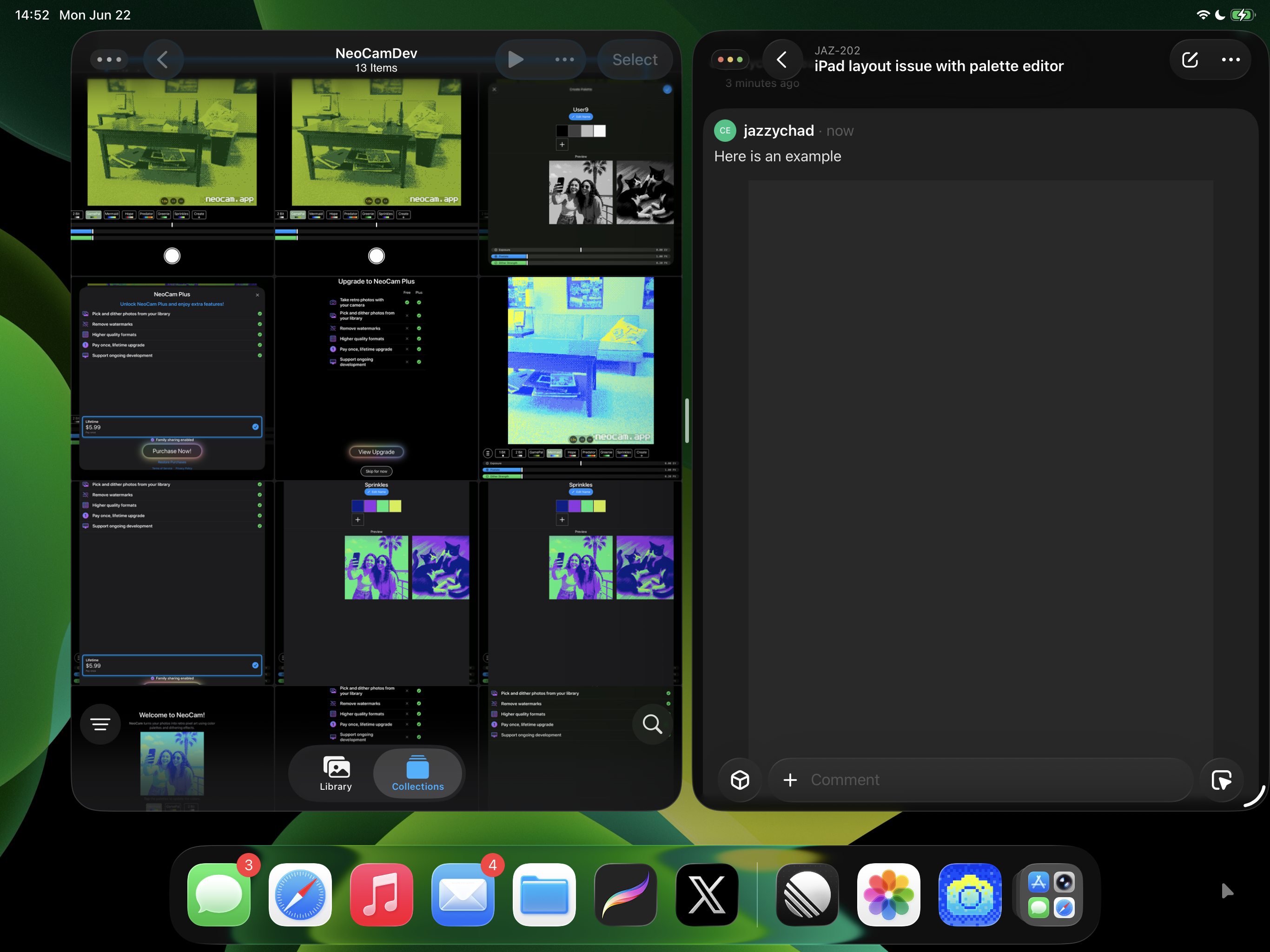
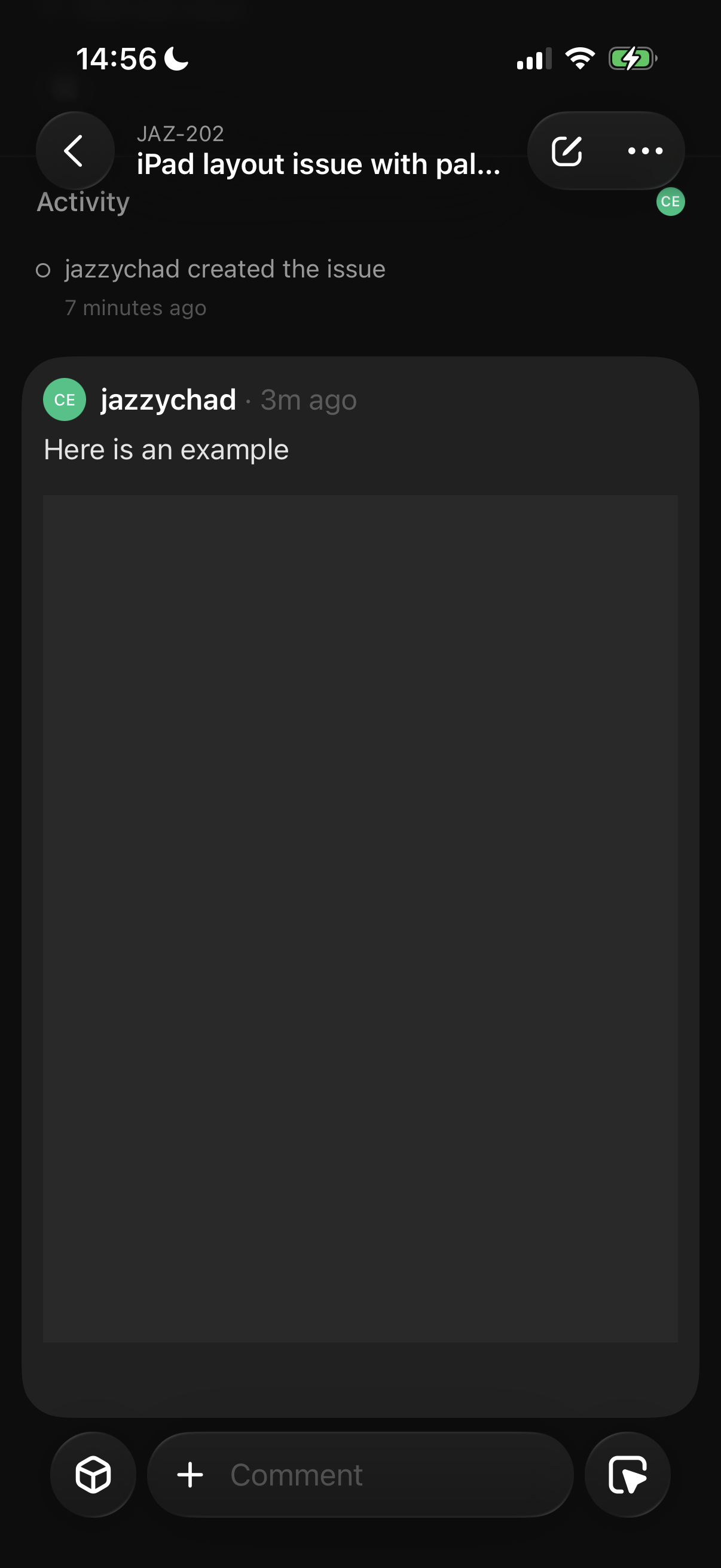
This isn't just a rendering bug, after loading the issue on the iPhone app, the gray box remains:
And web is stuck in this state:

or eventually:
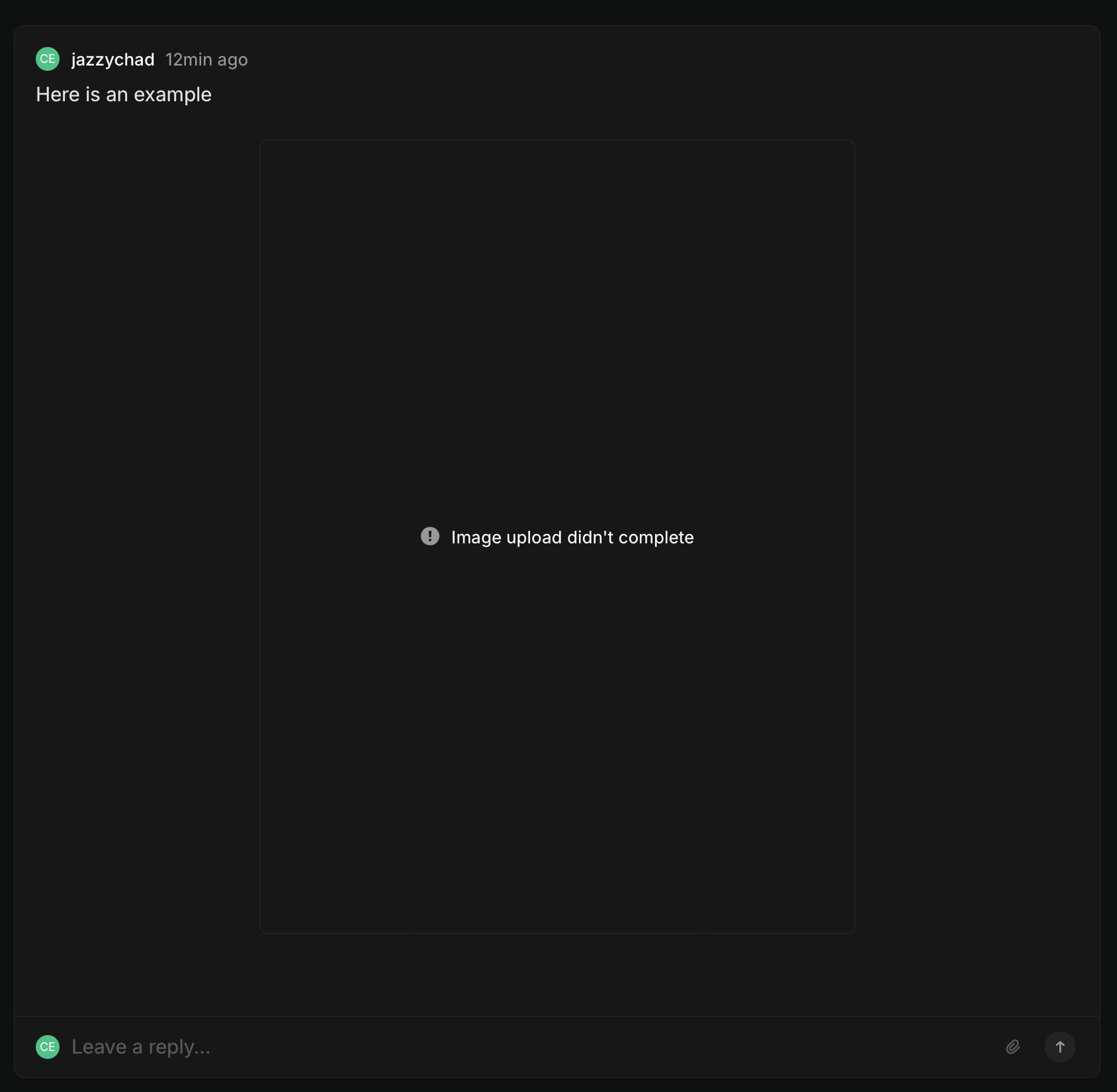
(For what it's worth, dragging and dropping an image into a comment box in the web app works properly).
Issue prefixes are a mess
I am very opinionated about this topic. Linear are also very opinionated about this topic. Our opinions differ. Nonetheless I will describe it again here in hopes that maybe something will change.
In Linear, issue prefix identifiers are scoped per team. For example in my Linear account I have a "JazzyChad" team (with a JAZ prefix) and an "Engineering" team (with an ENG prefix).
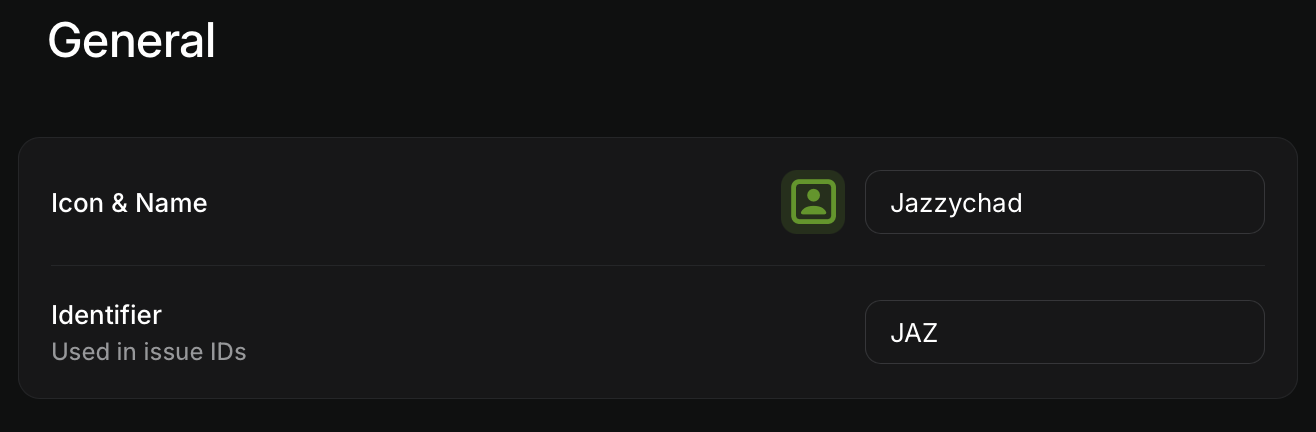
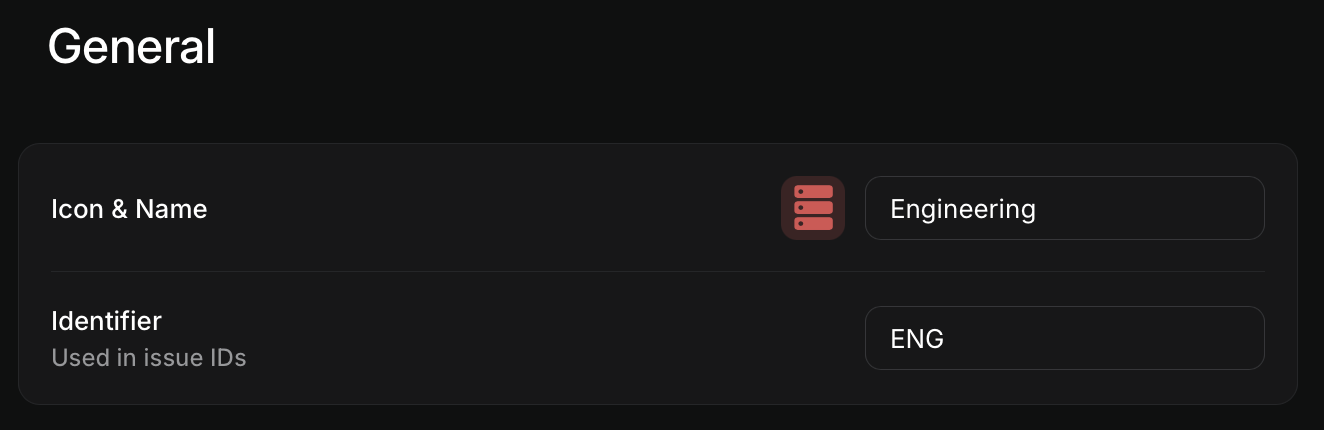
What I really want are issue prefixes PER PROJECT.
I have many simultaneous projects happening under one team, and having them all start with JAZ feels pretty silly.
In addition, at larger companies there would normally be multiple teams involved across a project, but for some reason each team is treated as a silo in Linear.
But here is where things get bonkers. Let's say an issue starts in Engineering, but the IC needs some design specs and transfers the issue over to the Design team to ask for redlines.
What once was ENG-123 has now changed into DES-789 - WHAT?! Linear issue ids are not stable. This is an insane product decision.
Here is a real example of me transferring an issue between teams:
JAZ-202
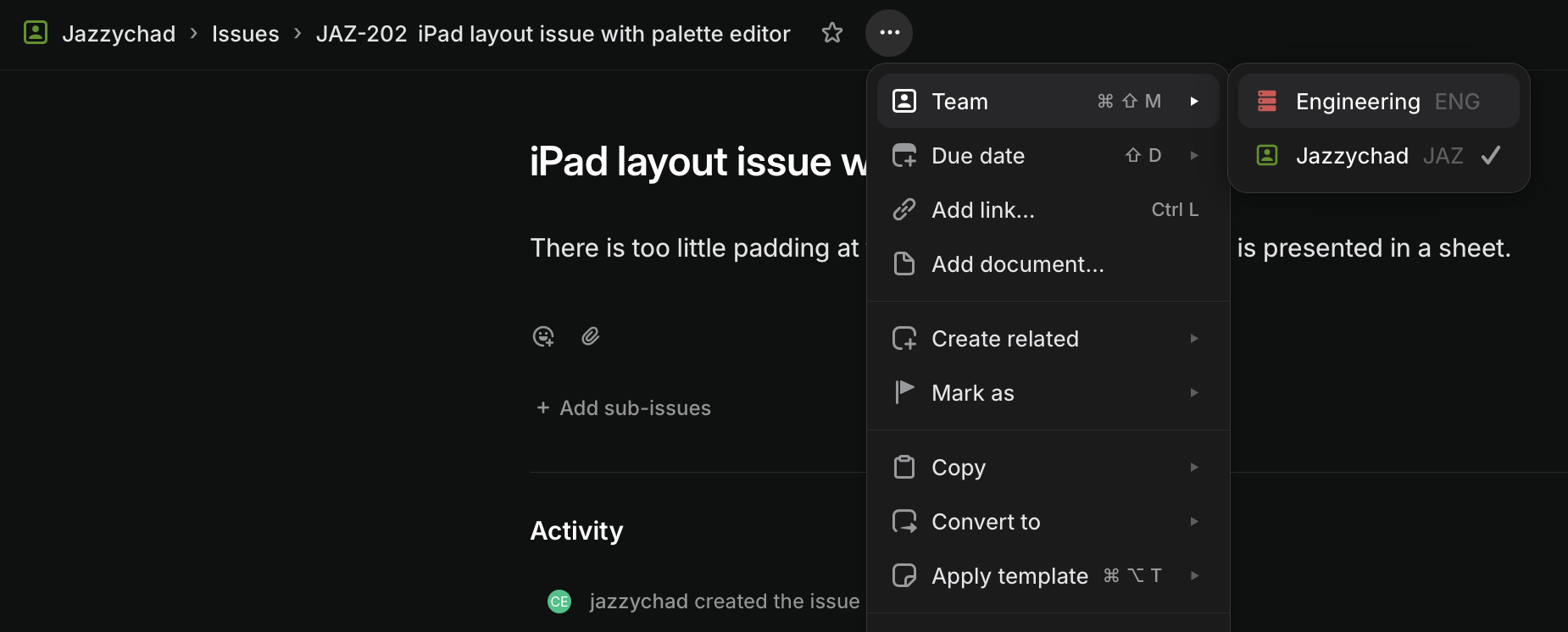
is now ENG-12

...and there is nothing in the Linear UI that surfaces this id change.
(Now, before the Linear employees scream at me, I do know that behind the scenes there is a stable, internal identifier for every issue, and that actually I could lookup the issue with JAZ-202 and it will automatically redirect me to ENG-12 (so the two public ids are ~equivalent), but having this knowledge seems cursed.)
This is where having per project prefixes makes so much more sense. The issue would be something like NEOCAM-456 and which team it belongs to just becomes another chip in the UI. Every issue only ever has one id, and everyone who has ever, or will ever, work on it can reference it by the same exact id forever.
Viewing milestones in the app
None of these milestones are tappable. I should be able to tap on these and view the related milestone issues. The actual way to view issues within a certain milestone in the app is much more complicated.
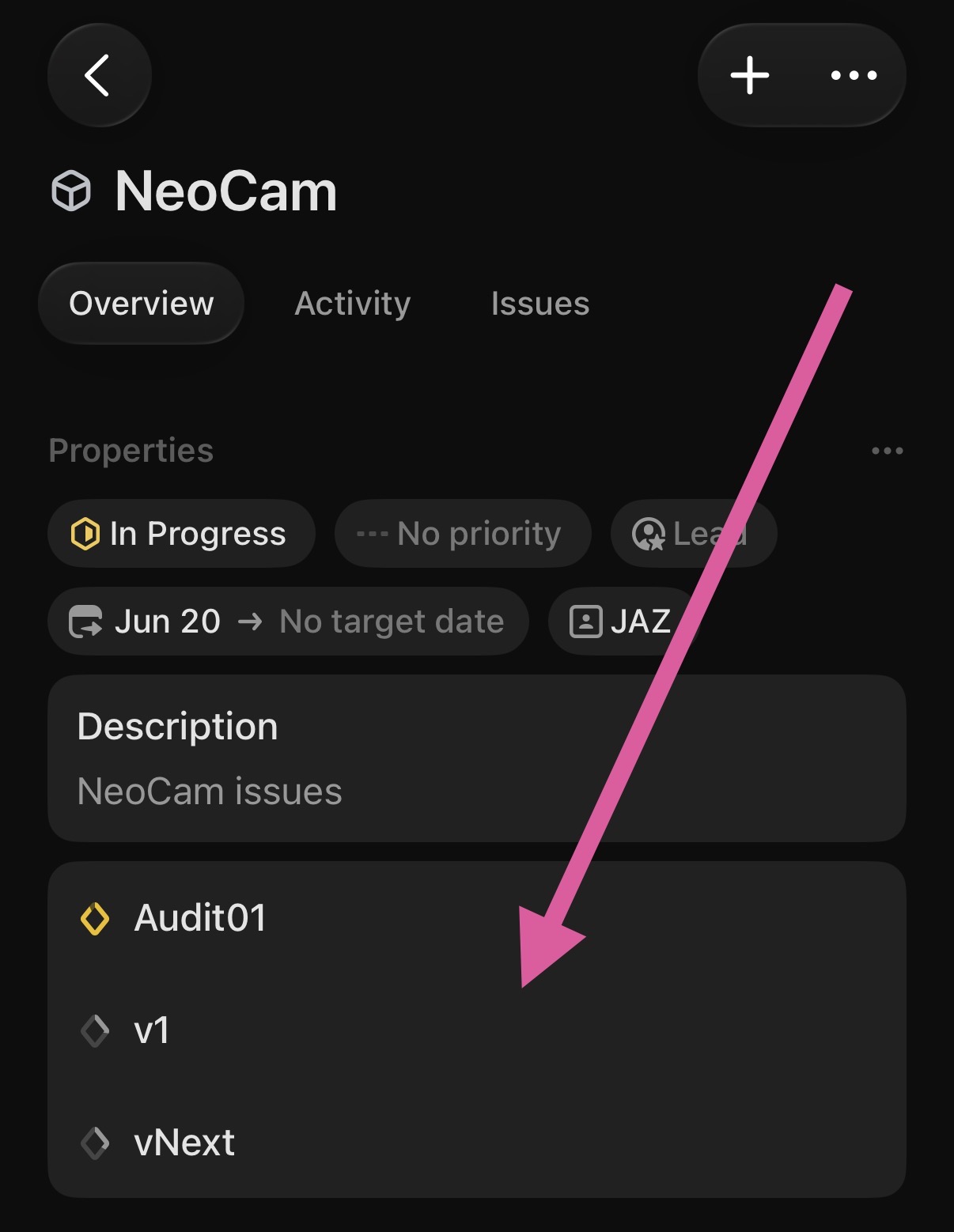
In general, if you display something in the UI that can be used as a filter criteria, I should be able to tap it to see it become manifest.
Create Issue / AI Chat
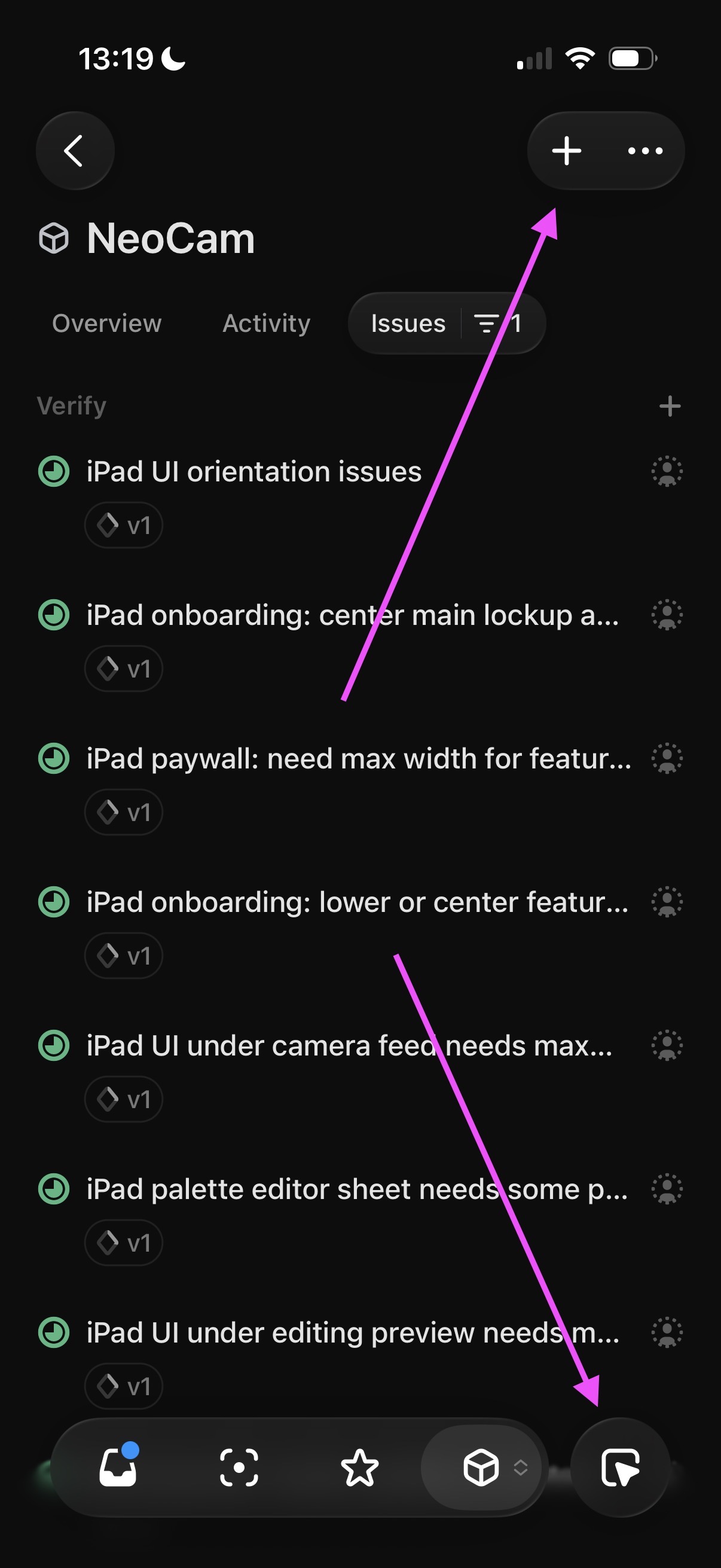
I keep making the mistake of hitting the AI Chat button in the bottom right (which I never want to use) when I actually want to create a new issue (which is in the top right corner and much harder to reach).
No Issue IDs in sub-issues list
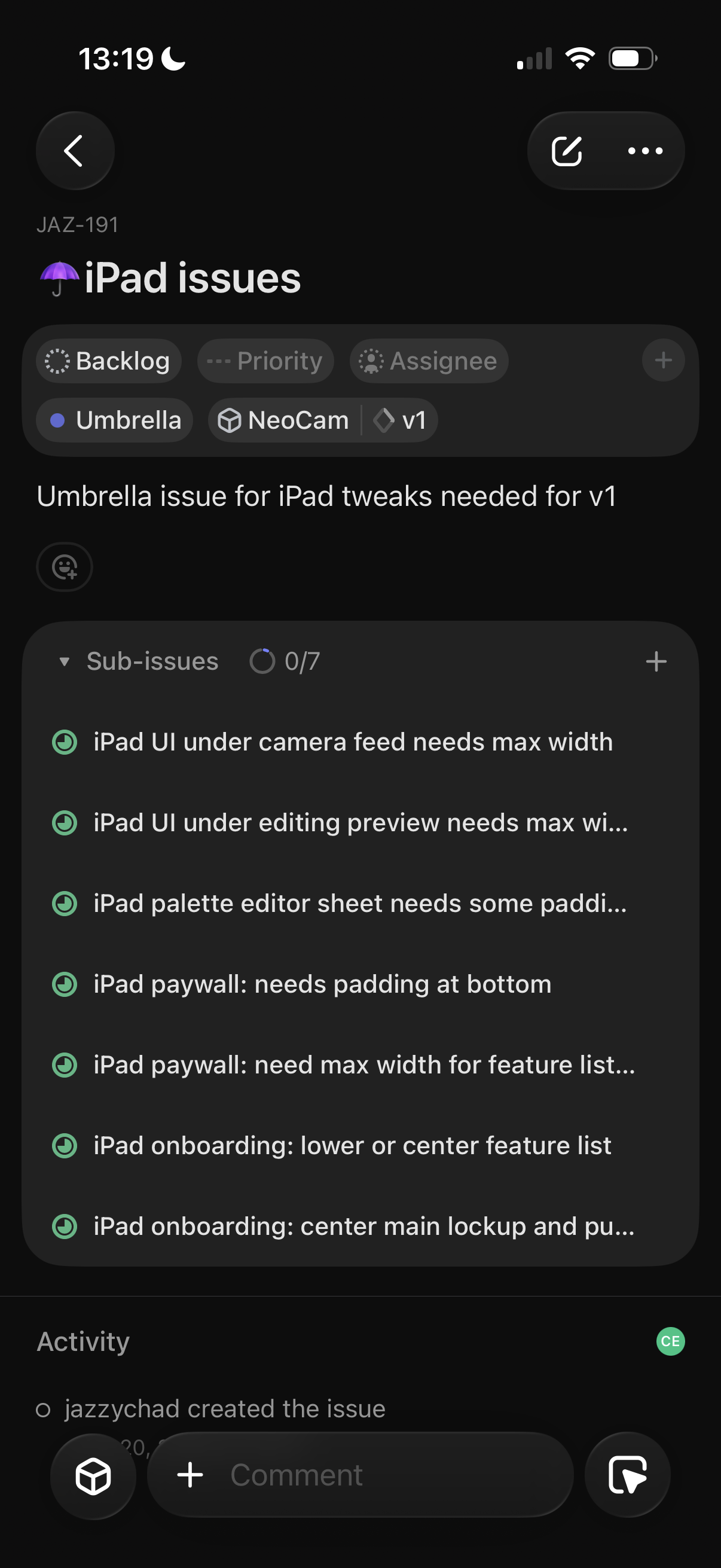
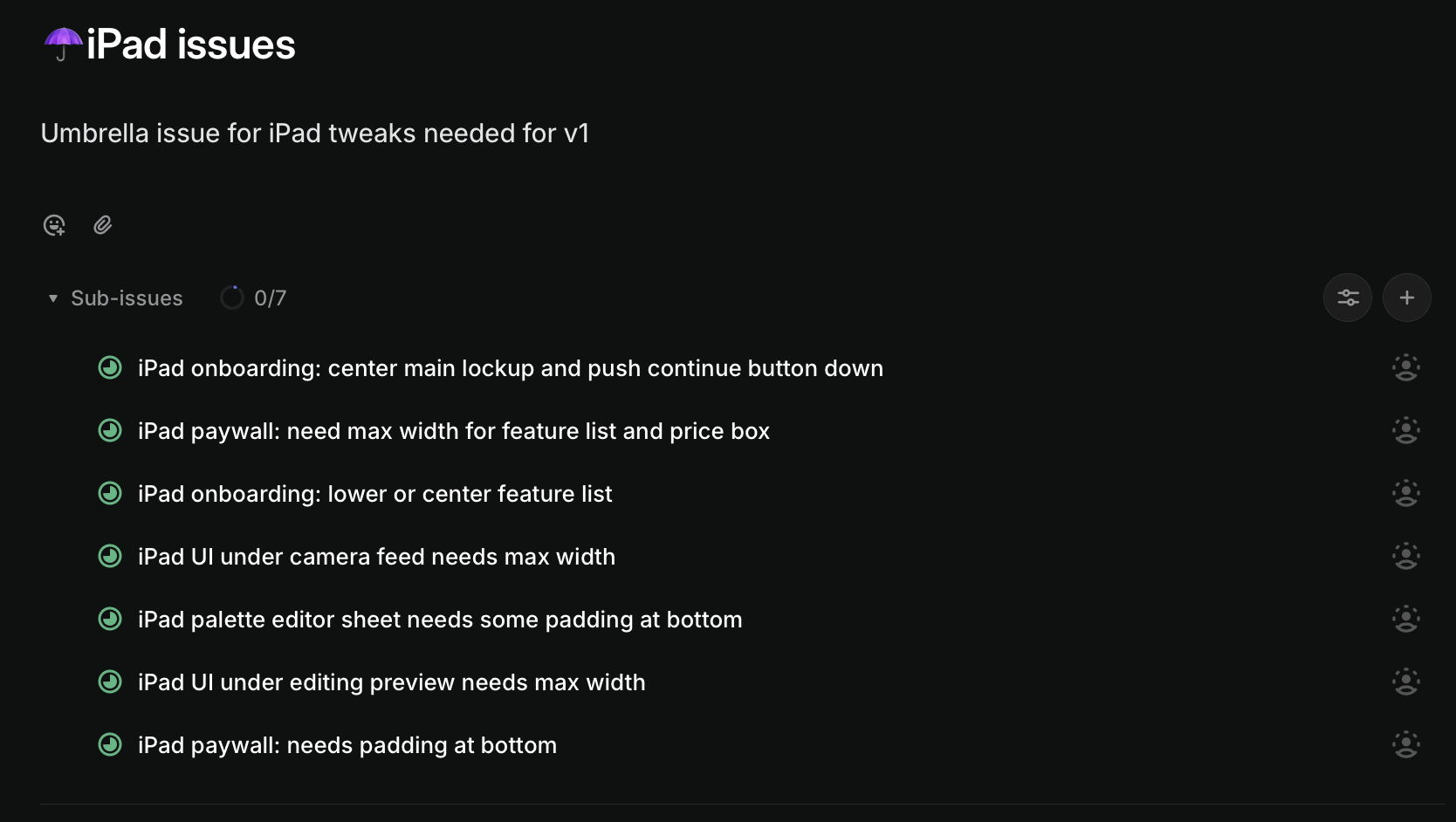
I know it may not be aesthetically pleasing, but the issue ID is really important information. It must be shown in every kind of UI lockup that describes an issue.
A real life example of where this bit me: I have this umbrella issue open on the web. I ask my AI agent to look at all the sub-issues and analyze the bugs by looking at the screenshots I've uploaded for each. My AI agent tells me there is no screenshot for issue JAZ-196 - ok great, I guess I'll open every single sub-issue separately until I figure out which one is 196. Extremely frustrating.
iOS:
Web:
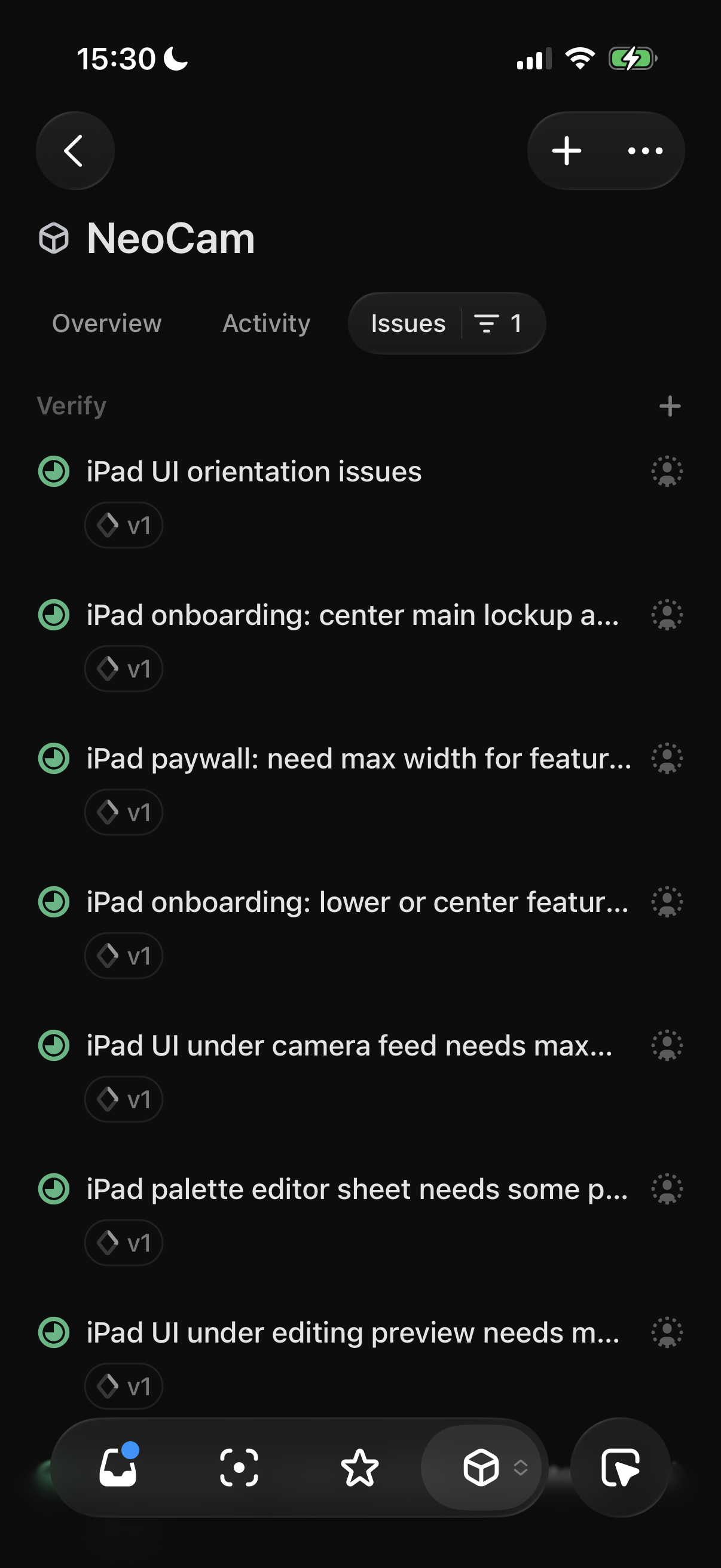
Going even further, when looking at any sort of list of issues in the iOS app, the ids do not appear by default. You must enable them under "Display Options" in the overflow menu.
Can't add relation when creating task
There is no way in the composer (in the iOS app nor web) to create a relation to another issue.
iOS:

Web:
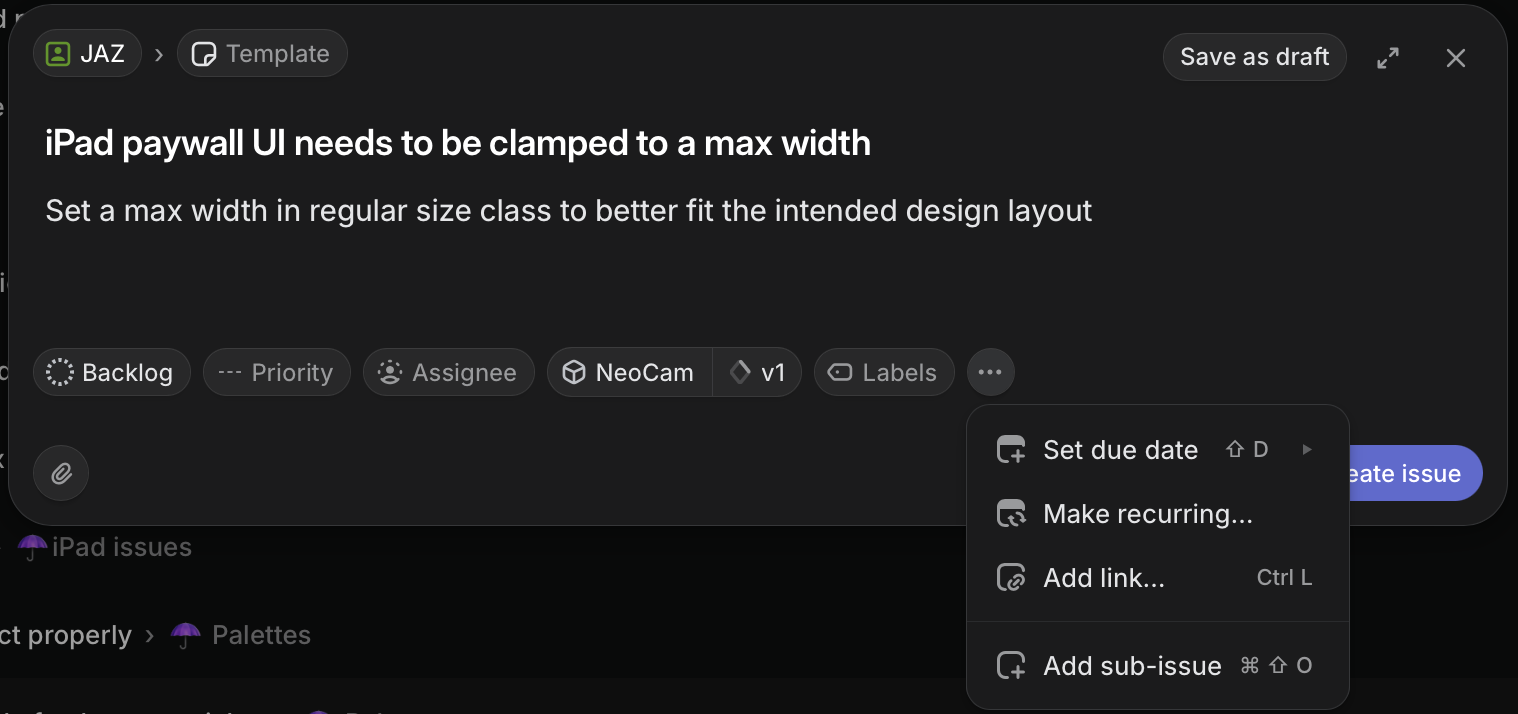
Useless empty state when relating issues
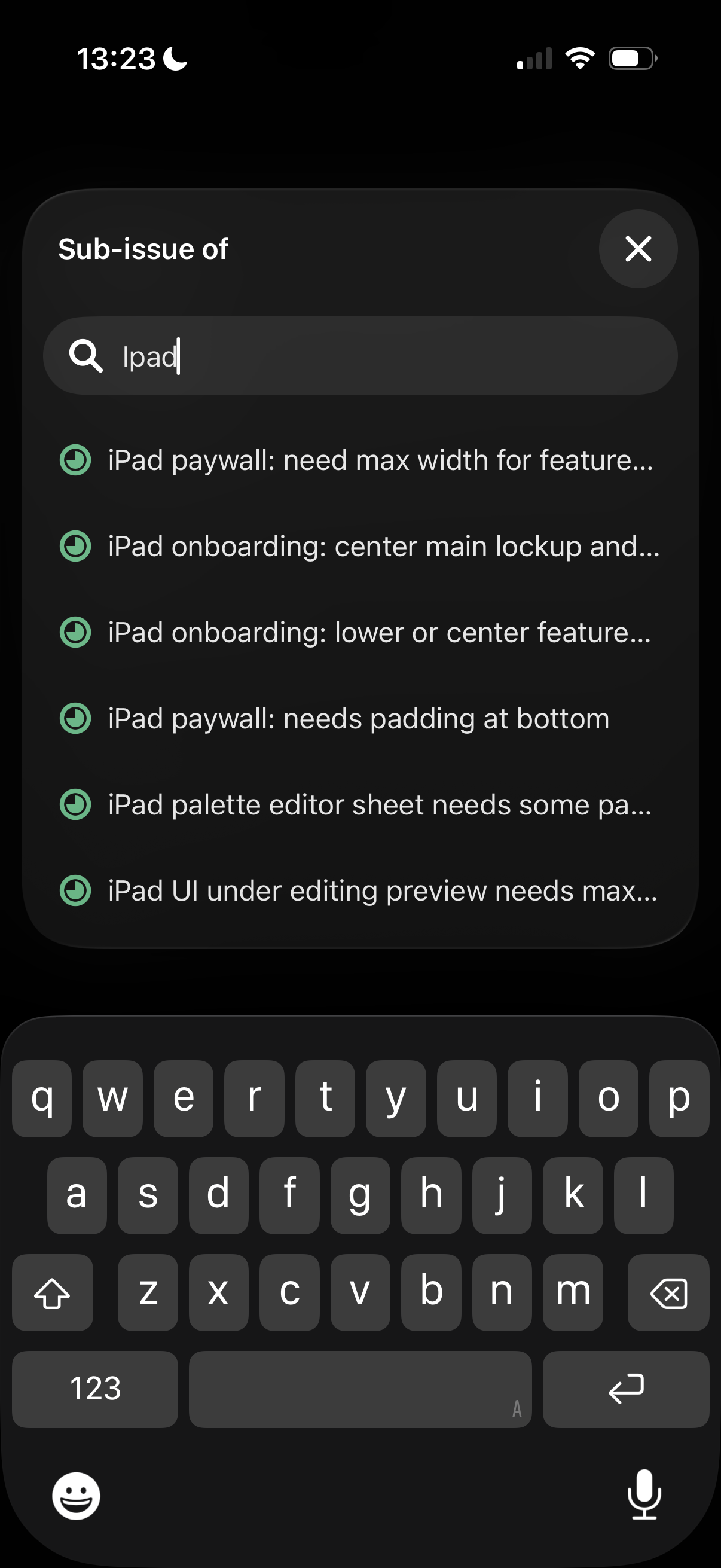
This "No results" UI should never appear when creating a relation between issues. At least use frecency to display some options, or use your fancy LLM to search for possibly related issues to suggest, or use a heuristic that shows other issues with several children issues.
I have been creating a bunch of issues for my "iPad Issues" umbrella issue recently... this should be a slam dunk.

Relatedly if I start typing "iPad" I get a bunch of in-progress issues and the actual parent/umbrella issue is below the fold, way down the list.
What even is Activity?
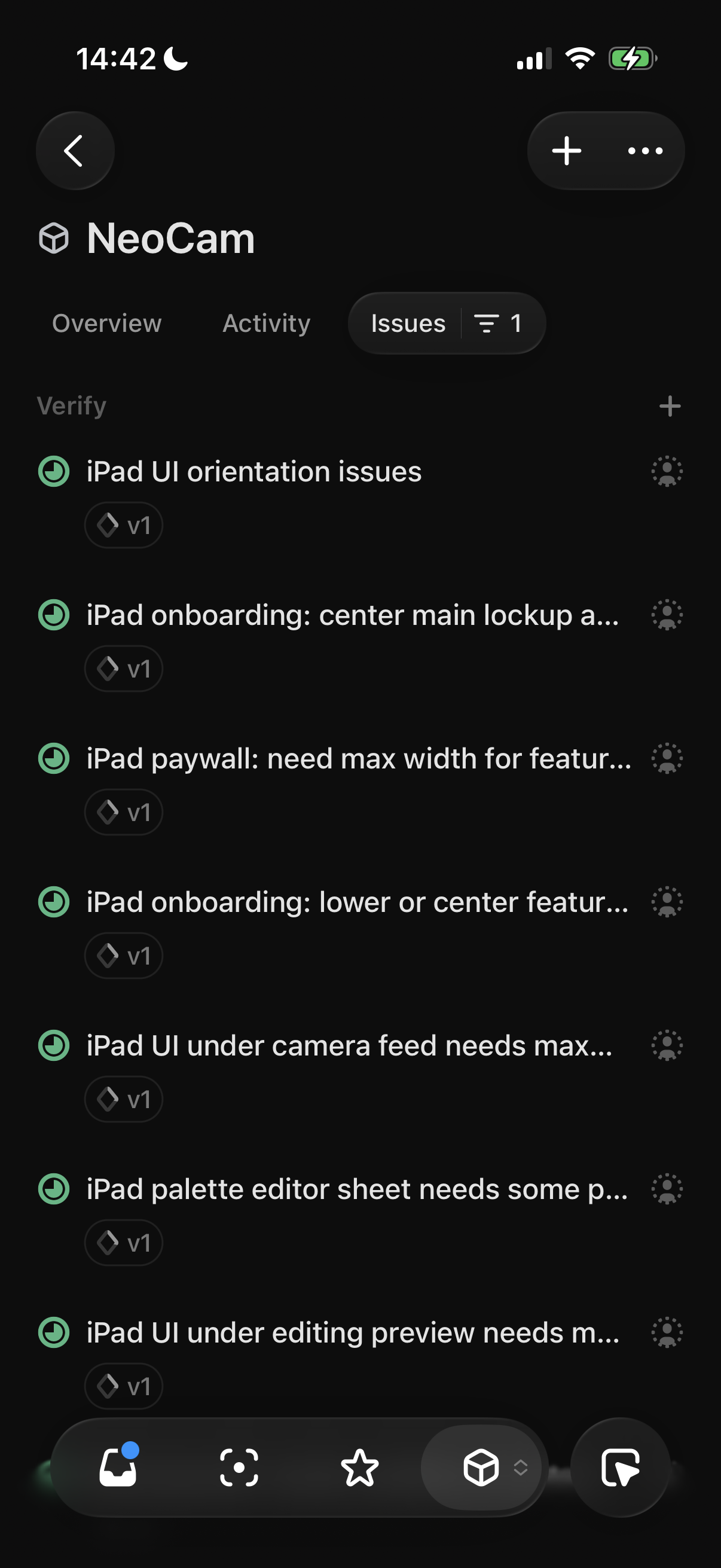
I have been furiously completing tasks in the NeoCam projects for the last week. But the "Activity" tab shows "No activity yet."

The web shows some activity, but I would expect to see information about the actual issues as well? What is this for?

Issue list search
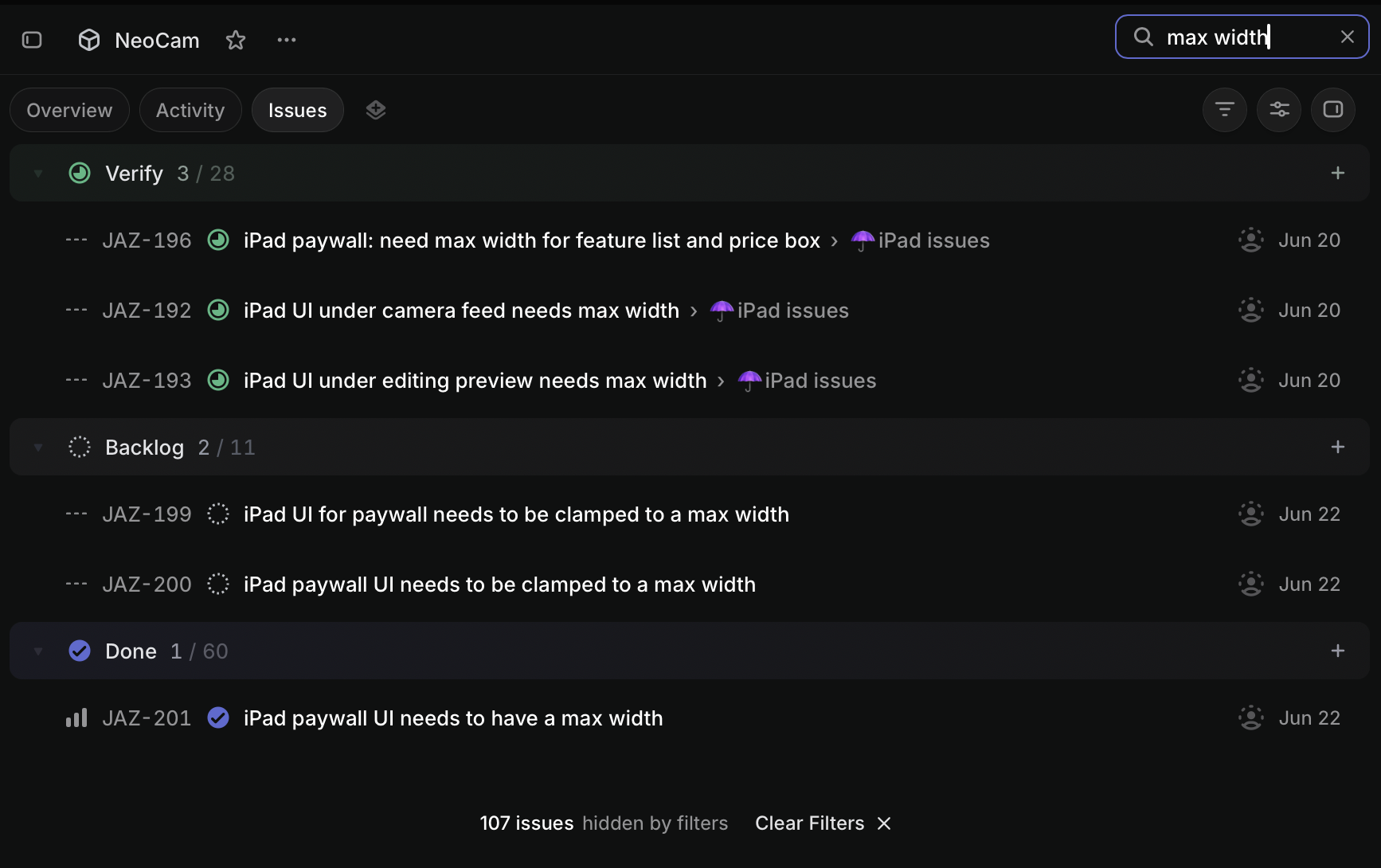
On the iOS app there is no way I can find to search within a list of issues for, e.g., a title substring match. There is a "Search" tab for the main app (hidden behind the overflow tab menu) which searches the entire Workspace (which is overkill).
At least on web you can hit Ctrl+F to filter by search term (if you know about the hotkey.. there is no visual affordance I could find).
I could go on. There are many other nits here and there I have, but these are the big ones currently frustrating me.
Again, I'm just care-mad. I am taking the time to list all of these issue with (hopefully helpful) screenshots and detail because I believe in writing good bug reports that make it easy to reproduce.
Linear is very focused on being design-forward, and that is a perfectly fine stance to take, but as an engineer who lives in an issue tracker for a lot of my work, I would love to see a bit more function-over-form enter the product.
Thank you for taking the time to read this.