RotationCoordinator has Multiple Issues
2/12/2026, 10:21:22 PM
Update: I have filed this issue as a Radar feedback rdar://FB21969588 - OpenRadar
Hi there.
iOS 17 introduced a new class AVCaptureDevice.RotationCoordinator which
"... monitors the physical orientation of a capture device and provides adjustment angles to keep images level, relative to gravity."
The videoRotationAngleForHorizonLevelCapture: CGFLoat property gives a number of degrees that should be assigned to an AVCaptureConnect.videoRotationAngle so that when a photo or video is taken, the resultant media file is oriented correctly with respect to the viewer.
iOS 18 introduced a new app extension LockedCameraCaptureExtension which allows developers to launch camera app experiences from the lock screen, using either:
- Lockscreen button
- Camera Control hardware button (iPhone 16 and later)
- Control Center button
Prior to AVCaptureDevice.RotationCoordinator there was AVCaptureVideoOrientation but that is now deprecated in iOS 17 in favor of the RotationCoordinator method of setting .videoRotationAngle
The Apple Developer site provides a demo camera project called AVCam: Building a camera app. The issues outlined below are present in Apple's own demo app/code. This fact at least made me feel better about not being able to figure things out for my own app NeoCam.
I have created an AVCamFork Repo on my github that adds a few UI additions to the base AVCam project which you will see in the following screenshots. If you want to play along, or try to solve this mystery, it might be a good starting point.
In the following discussion I will be referring to the Main App and the Locked Session Extension.
- Main App: The primary app bundle made by an app developer. The app you launch from your homescreen.
- Locked Session Extension: The app extension that is launched from the lock screen use one of the three above mentioned entry points.
In the Main App the RotationCoordinator works brilliantly.
From the docs:
"Your app can get immediate rotation angle updates from the rotation coordinator with key-value observation (KVO) of this property."
And, indeed, this works great with the following code:
rotationCoordinator.observe(\.videoRotationAngleForHorizonLevelCapture, options: .new) { [weak self] _, change in
    guard let self, let angle = change.newValue else { return }
    self.updateCaptureRotation(angle)
}
When the device rotates, the rotationCoordinator KVO observation dutifully updates, and everything works great.
RotationCoordinator Problem #1
In a Locked Session Extension these KVO observation callbacks are not fired. At all.
I have tried every combination of [.initial, .old, .new, .prior] for the options argument when registering the observation, but the callback is never ever fired.
This means that once the Locked Session Extension is launched, the RotationCoordinator does not do its job of informing the process how to orient the data that is captured with the camera. It will be saved to the photo library incorrectly.
RotationCoordinator Problem #2a
Most (if not all?) camera apps choose to lock their interface orientation to one direction (usually Portrait) in the config UI or their Info.plist.
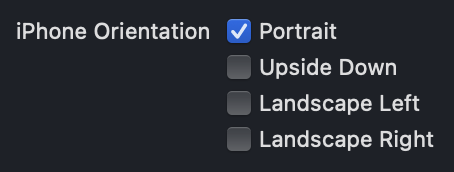
This is purposefully done so that the UI of the app stays in the same place when rotating the physical device, allowing the user to see the viewfinder in the same location and keep the shutter button in a stable location.
I thought I might have a clever workaround for this issue of non-functional KVO notifications to update the rotation values. I could use and observe the UIDeviceOrientation of UIDevice.current.orientation to determine when the device rotated and perhaps re-read the rotationCoordinator. videoRotationAngleForHorizonLevelCapture value or completely re-instantiate a new RotationCoordinator and read the initial value to get the updated rotation angle.
This approach also works flawlessly in the Main App, however this fails in the Locked Session Extension.
To my surprise, observing the device orientation in the Locked Session Extension actually works and I can tell when the device is rotated.
However, when I re-read the .videoRotationAngleForHorizonLevelCapture value, it remains the same as when it was originally instantiated. Even if I instantiate a completely new RotationCoordinator, the value reported is the same as the previous rotationCoordinator instances.
The RotationCoordinator will only report the angle that is appropriate for the device when the Locked Session Extension is first launched.
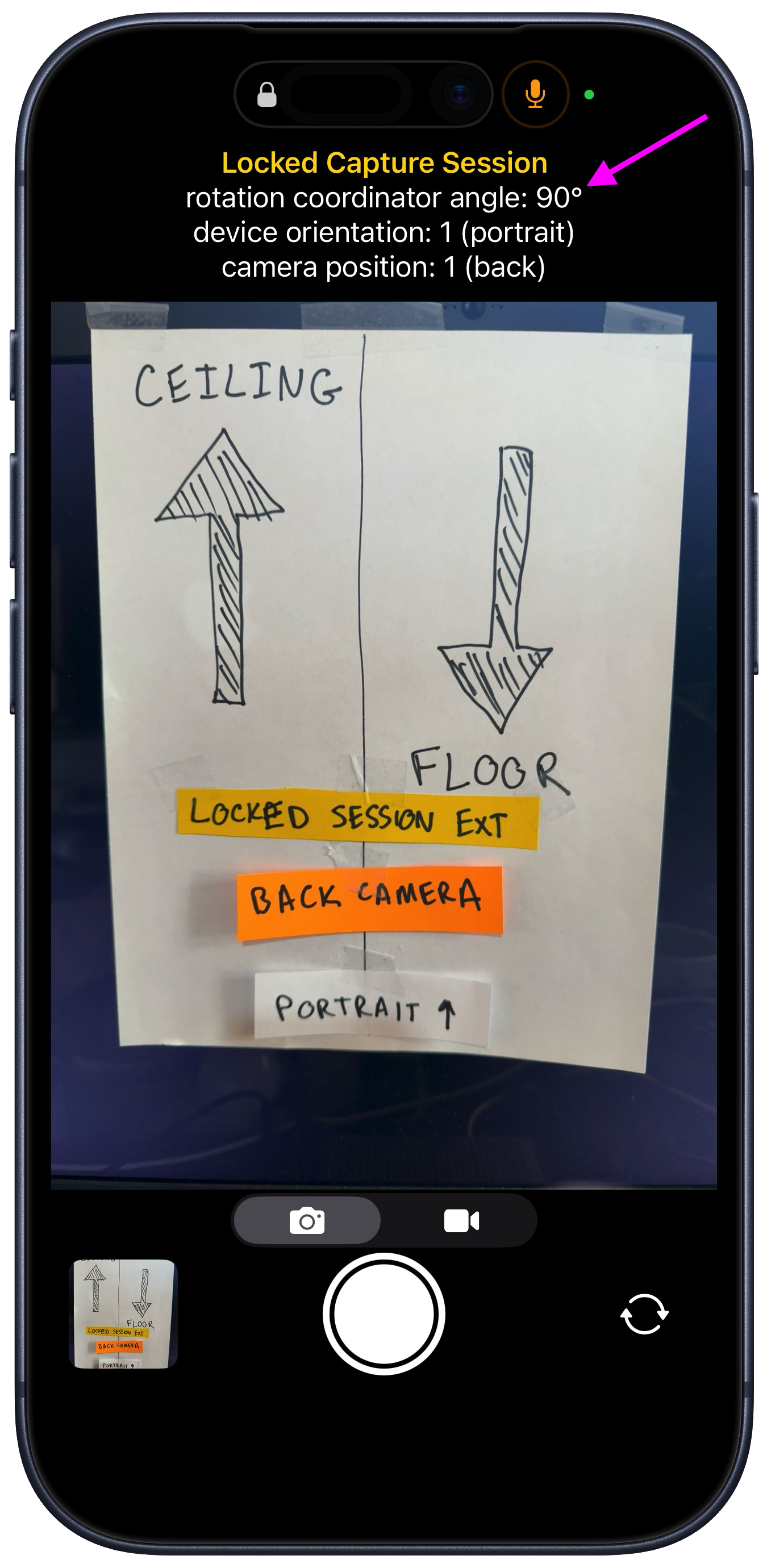
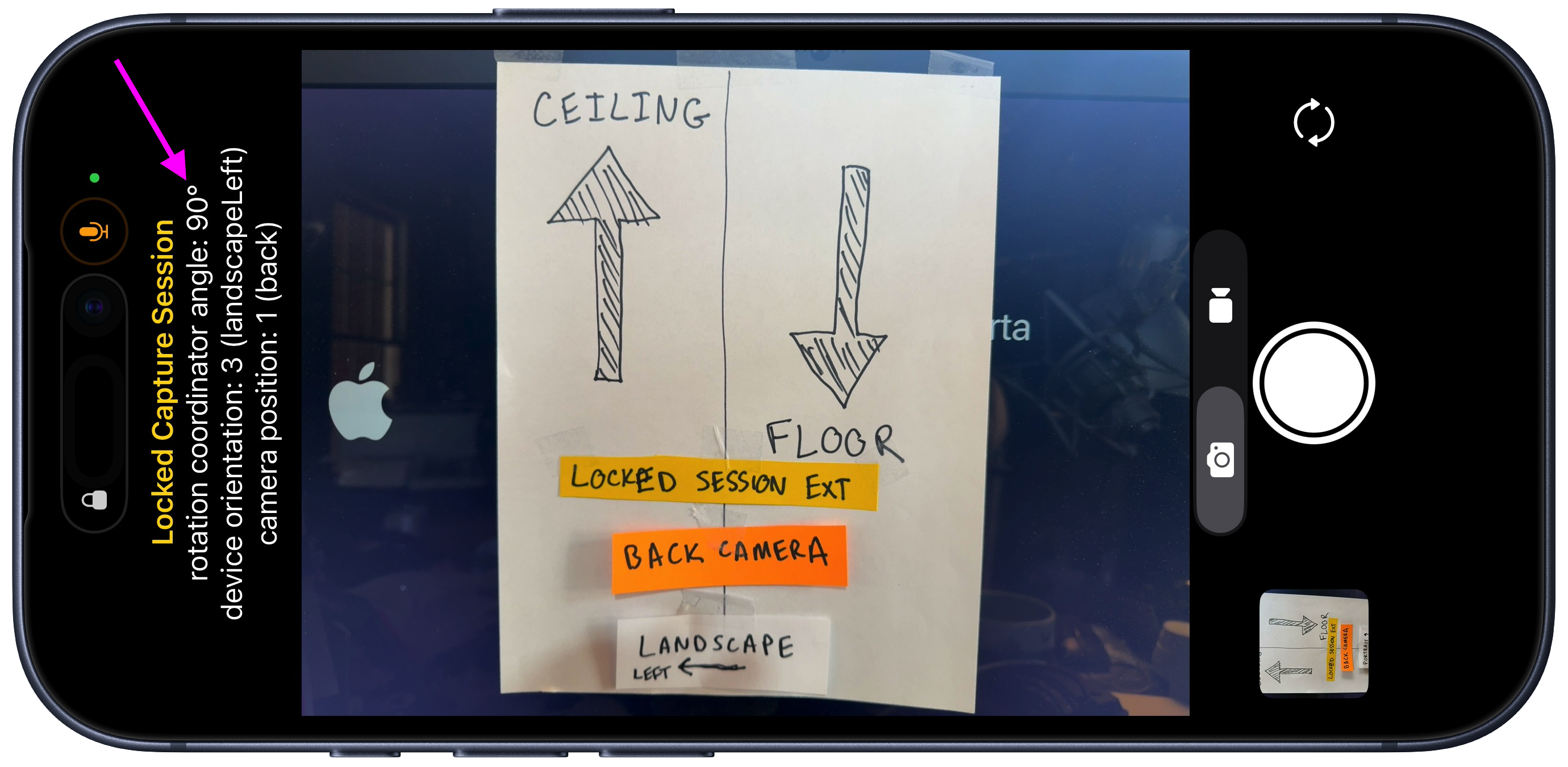
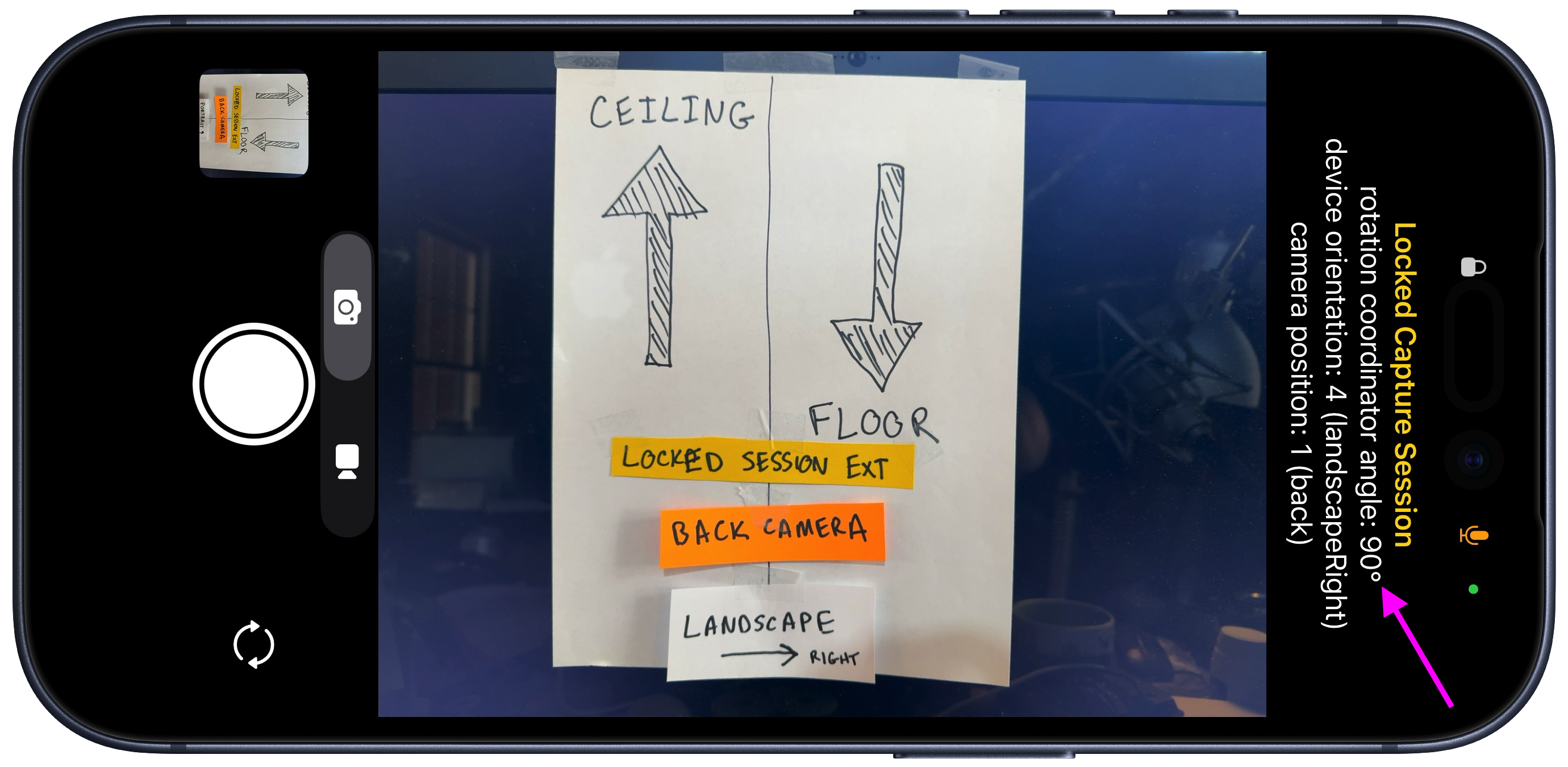
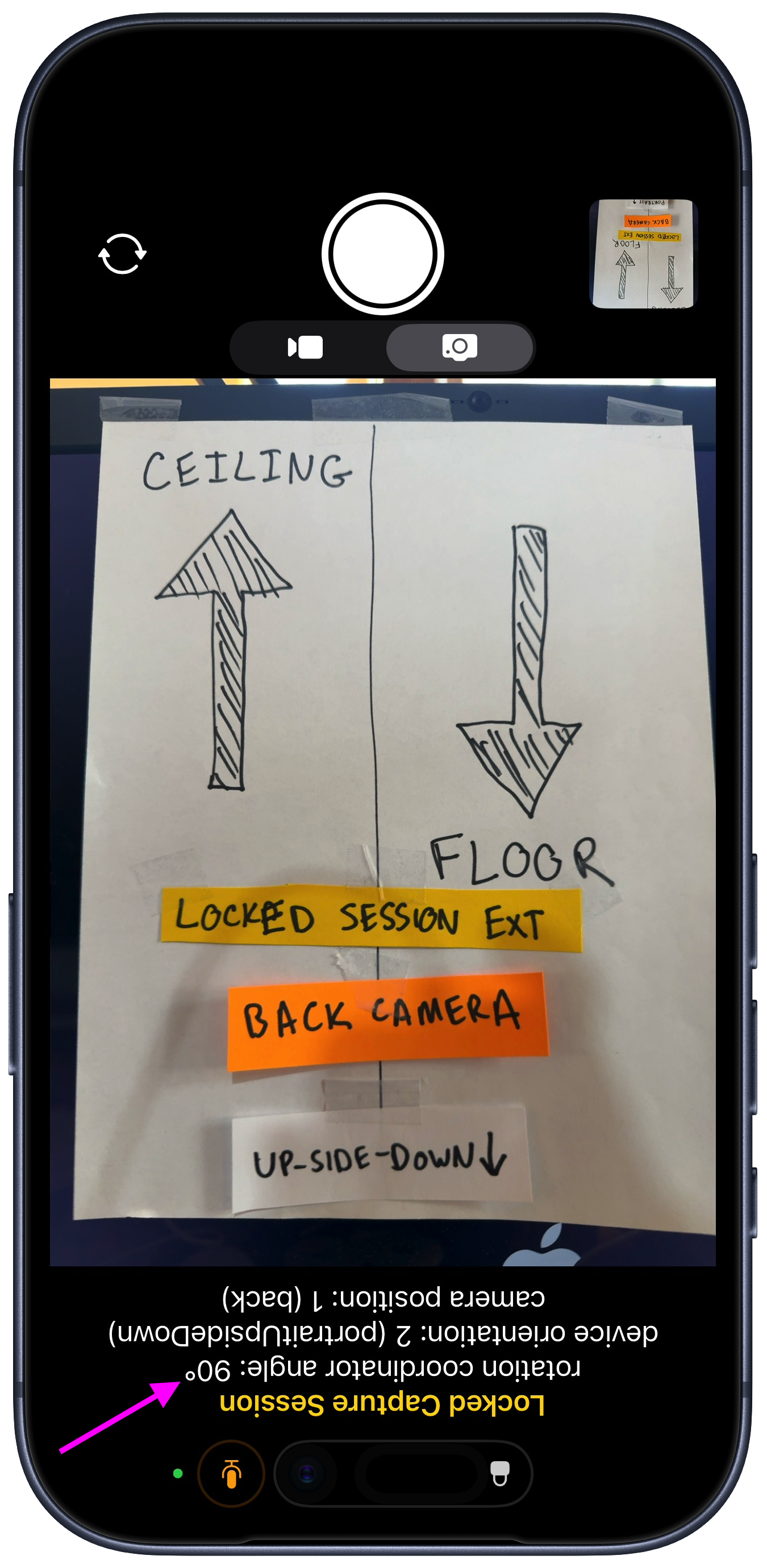
That is, if you launch the Locked Session Extension when the device is in Portrait orientation, the .videoRotationAngleForHorizonLevelCapture will always read 90º no matter how many times you instantiate a RotationCoordiantor after launch, and no matter what orientation the device is in during the Locked Session Extension lifetime.
(Likewise it will always read 0º or 180º if you launch the extension while the device is in landscape-left or landscape-right, respectively).
The following images demonstrate the rotationCoordinator always returning 90º no matter how I rotate the device (while the device orientation values update properly)
And so the respective photos are saved like this:
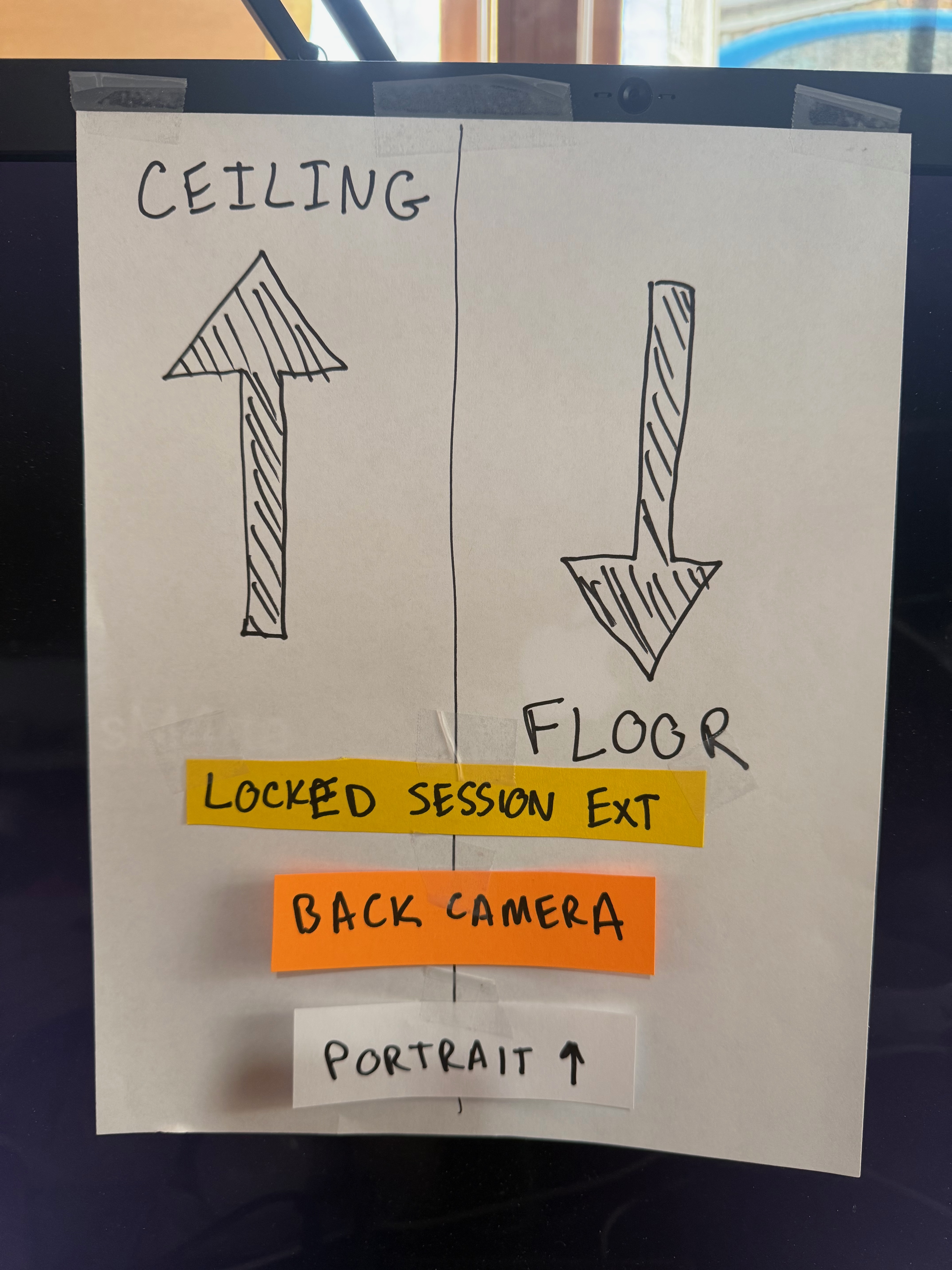
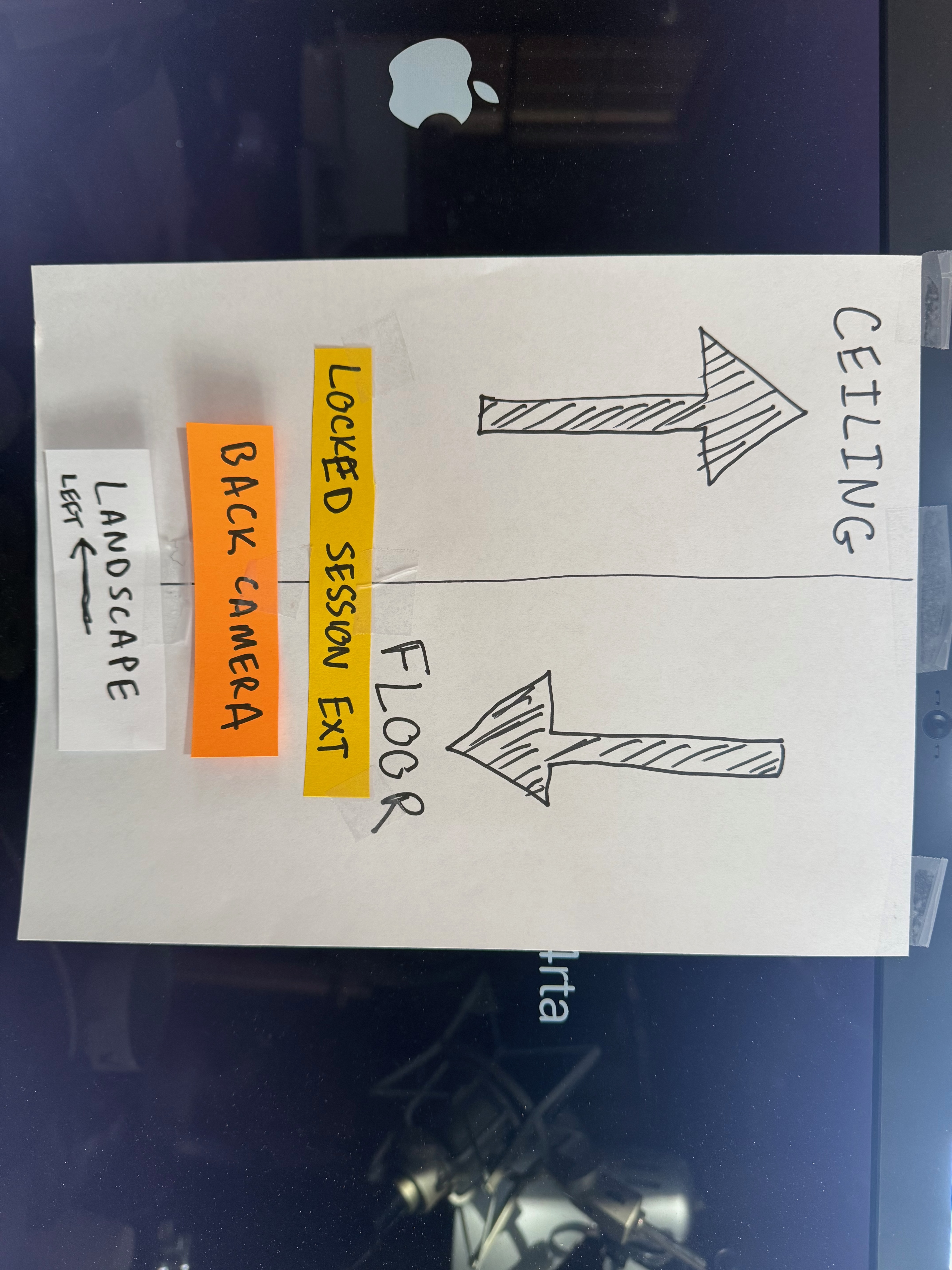
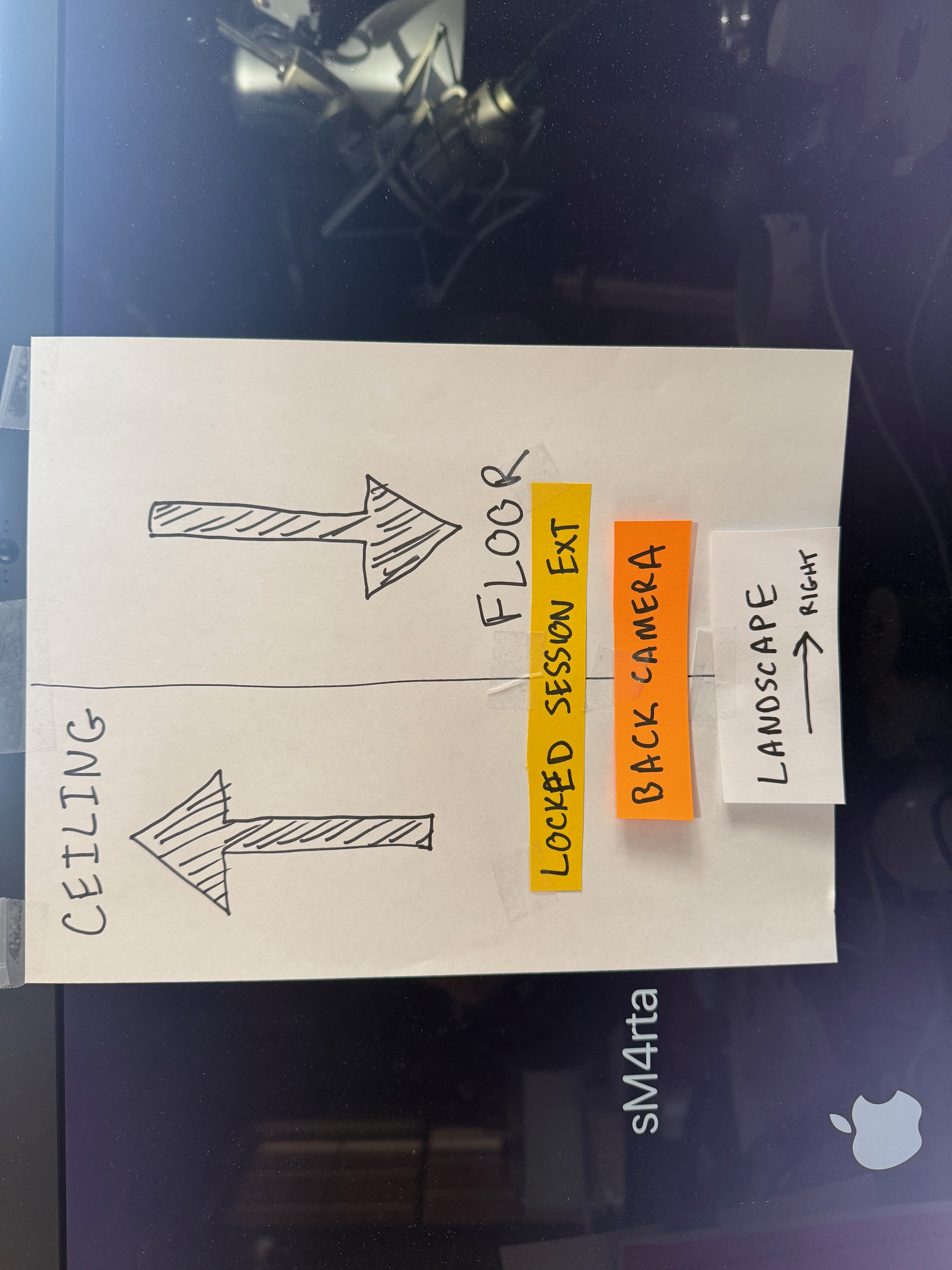
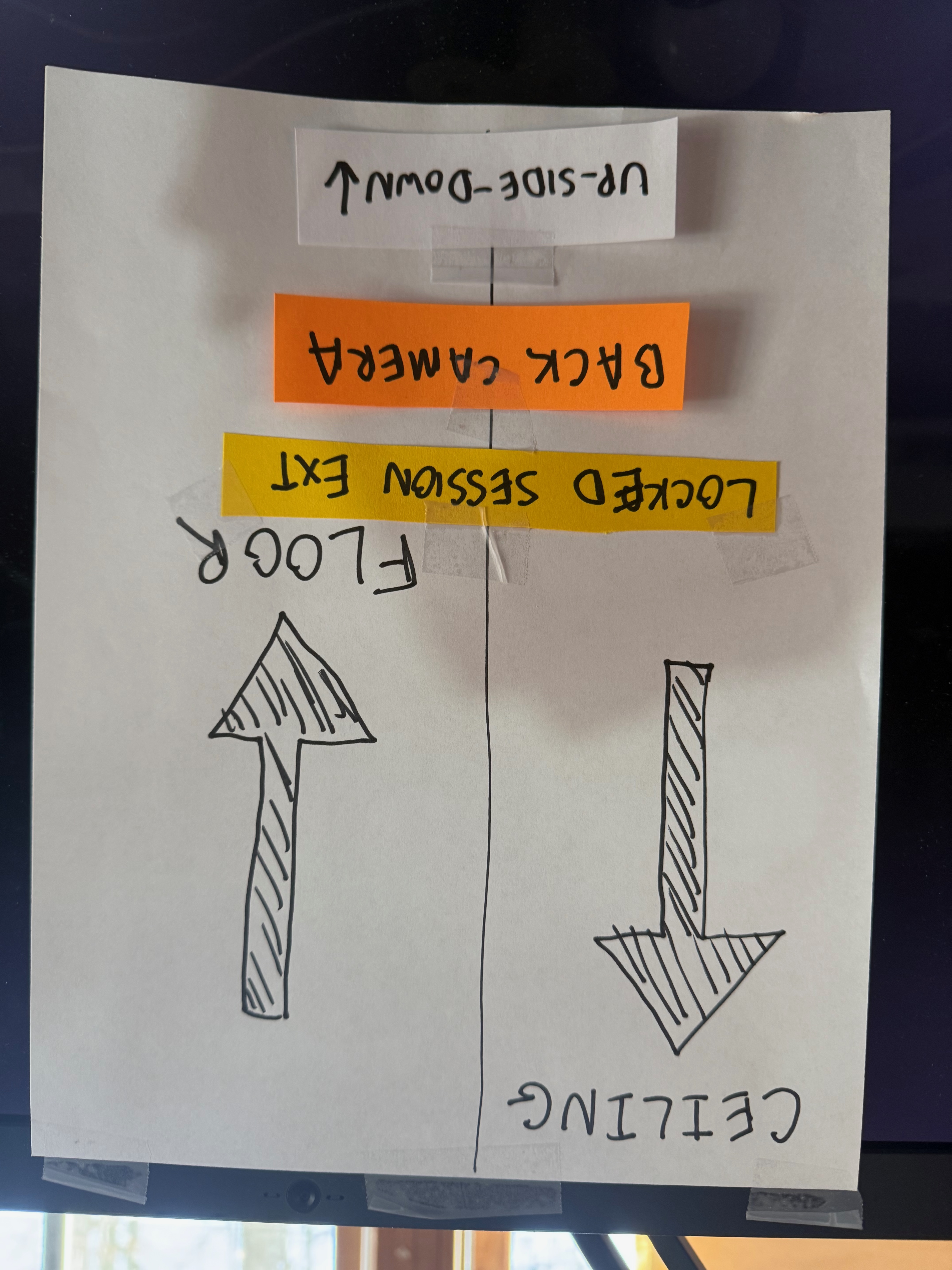
3 of those are wrong!
This approach of using the device orientation from UIDevice.current.orienation has another downside, which is that if the user has Rotation Lock enabled in Control Center, then there will be no orientation updates - so even if this workaround was successful, it would be defeated by the Rotation Lock setting.
It turns out that this issue of "rotationCoordinator provides only one value ever" is a consequence of locking the supported interface orientation to one value (like Portrait).
RotationCoordinator Problem #2b
Ok, let's say we don't lock our UI to one interface orientation and instead use the default settings:
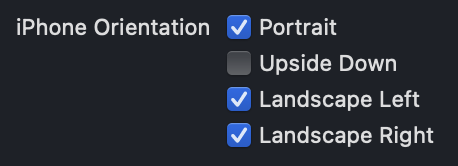
Surprisingly, the technique of re-instantiating the rotationCoordinator on each device orientation update actually works!
There are 2 issues with this, though
- This is still defeated if the user has Rotation Lock enabled
- This happens:
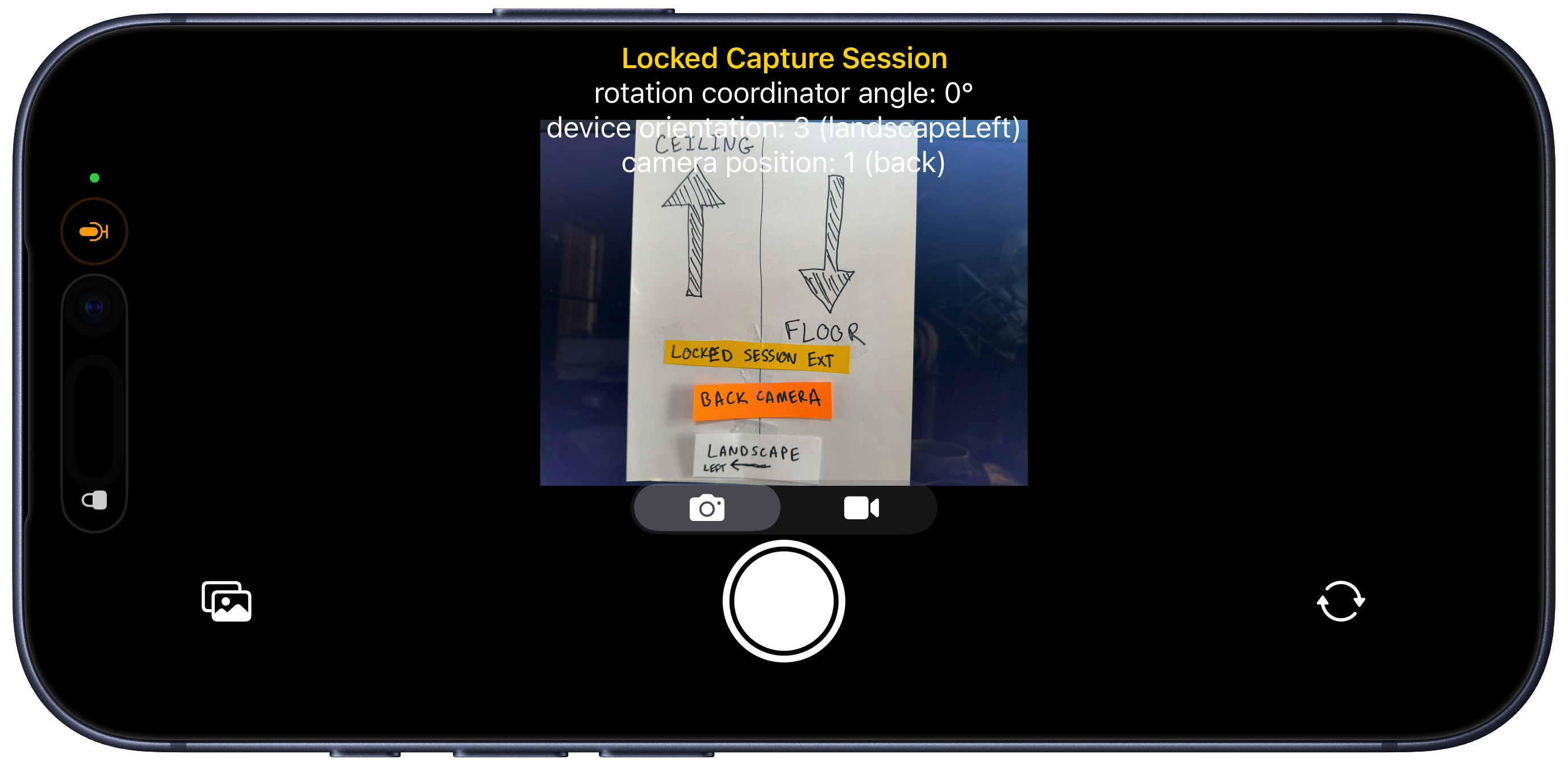
Having the UI rotate to match the device orientation is highly undesirable in the case of a camera UI app.
My app is designed very specifically to have a UI that fills the display vertically.
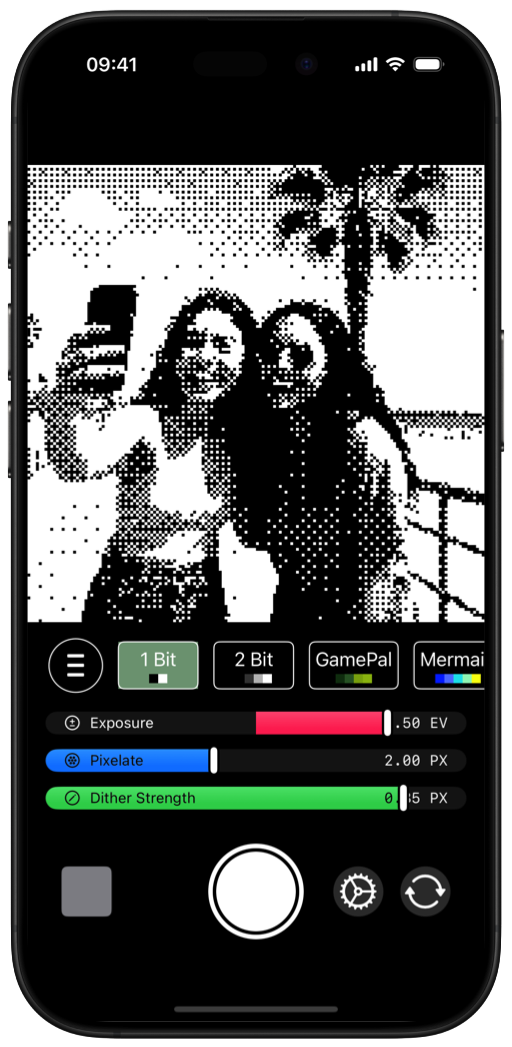
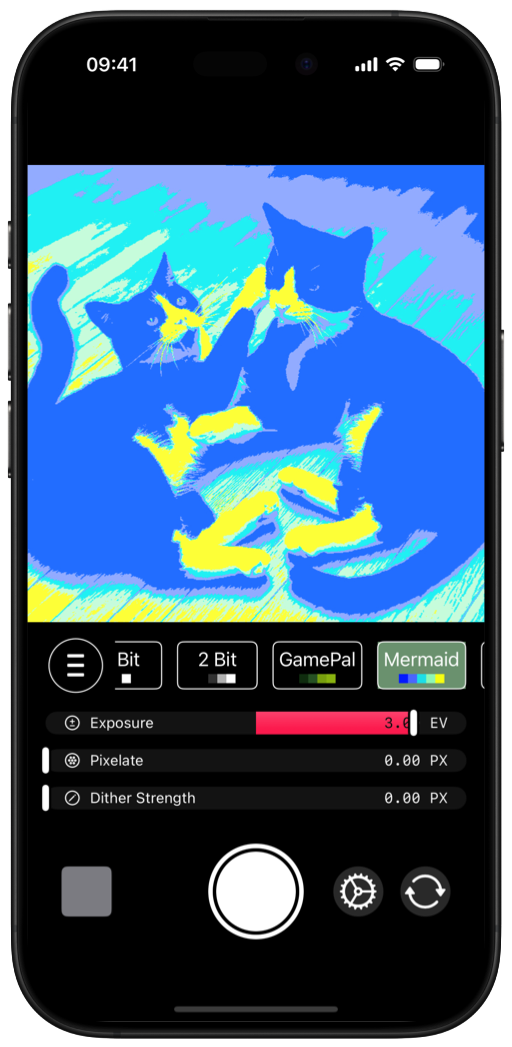
You might think, "Ok, well there are plenty of ways to lock a view's orientation inside an app!" But, LockedCameraCaptureExtension is a SwiftUI-only extension. As such, it will do its darndest to prevent you from preventing UI rotation.
I did try a few workarounds to solve this. Wrapping a View in a UIViewControllerRepresentable and then wrapping it again in a UIHostingController in order to set the preferredInterfaceOrientationForPresentation just straight up does not work.
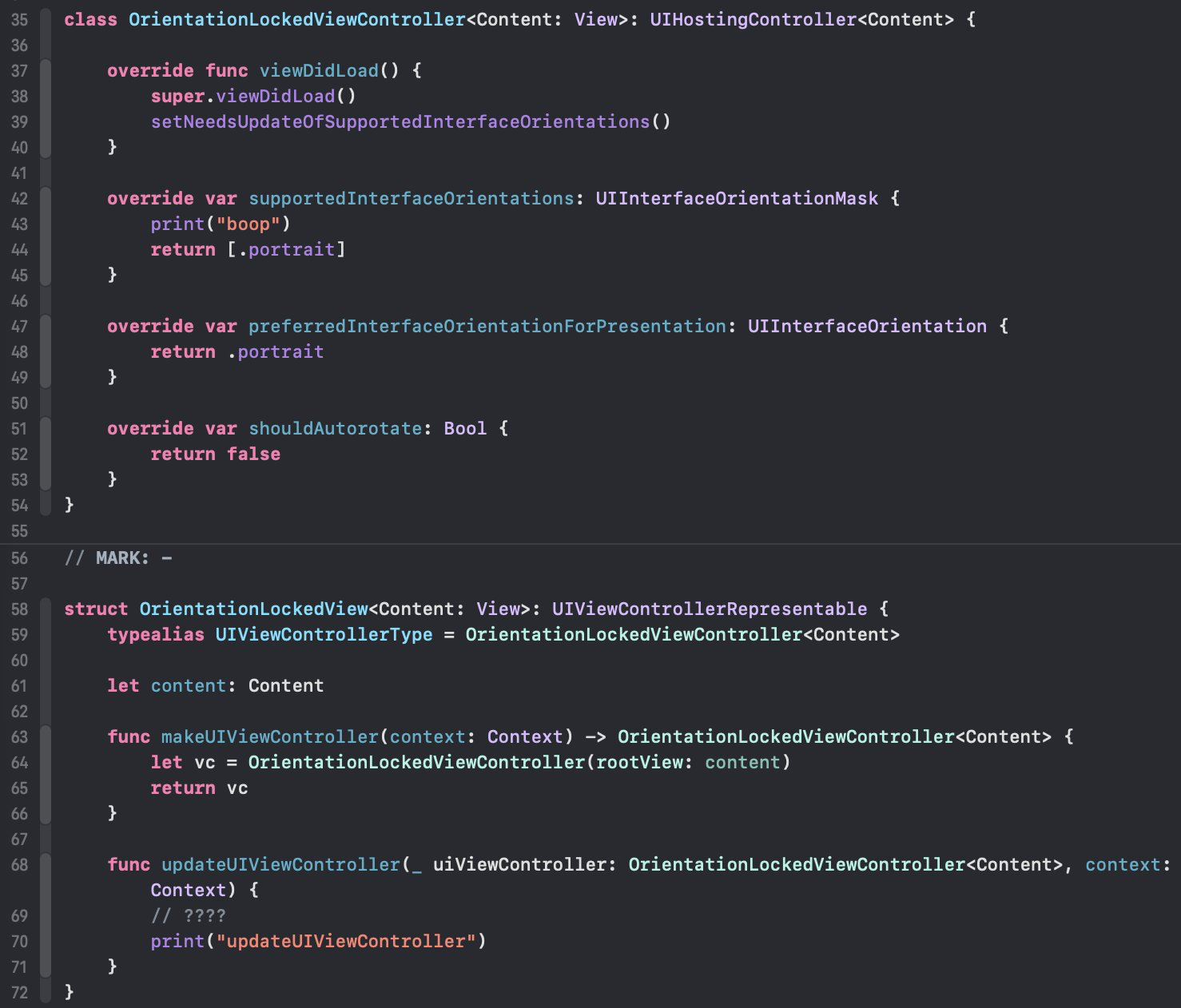
There is also a method of using a @UIApplicationDelegateAdaptor and setting the appropriate values in the app delegate to only support .portrait orientation (while allowing all orientations in the Info.plist) - and this actually works!
But, only in the Main App.
App extensions do not have the concept of an app delegate, and even trying to set one in the @main part of the extension entry-point does nothing.
For an interesting journey into the world of fixing SwiftUI View orientation, check out Changing orientation for a single screen in SwiftUI.
Yet Another Problem
When I discovered the RotationCoordinator issues, I fell back to an older approach that worked before iOS 17, which was to rely on the UIDevice.orientation and hardcode a map between the orientation value and the degrees that the video output connection should have. This worked in both the Main App and the Locked Session Extension (except of course when Rotation Lock is enabled).
func orientationCoordinatorDidUpdate(_ orientation: UIDeviceOrientation) {
    let videoDevicePosition = self.videoInput.device.position

    var angle: CGFloat? = nil
    switch orientation {
    case .portrait:
        angle = 90
    case .landscapeLeft:
        if videoDevicePosition == .front {
            angle = 180
        } else {
            angle = 0
        }
    case .landscapeRight:
        if videoDevicePosition == .front {
            angle = 0
        } else {
            angle = 180
        }
    case.portraitUpsideDown:
        angle = 270
    default:
        break
    }
    if let angle {
        self.updateCaptureRotation(angle)
    }
}
Yes, this is brittle and prone to breaking, and it finally did.
When I sent out recent TestFlights for NeoCam something strange happened. Some people that took selfies complained that their images were rotated incorrectly.
What did all these people have in common? They were all using the latest-gen hardware. If you are using an iPhone 17, iPhone 17 Pro, or iPhone Air the angle calculation in the above code is wrong for the .front (selfie) camera.
These new-gen devices have a square CCD sensor in the front camera, so maybe that is the difference in rotation angles, but nevertheless I cannot find a good way to determine if the user has this new camera so I can update my brittle angle calculations above. I thought maybe AVCaptureDevice.Format.supportedDynamicAspectRatios might tell me since the new selfie camera will dynamically change between portrait and landscape depending on the subjects in frame, but testing showed that this did not return any useful information on the new-gen devices.
So, this approach is now infeasible.
Now what?
I am convinced these issue(s) are bugs in the Apple frameworks, specifically the behavior of RotationCoordinator inside of a LockedCameraCaptureExtension process. I am filing a radar (feedback) with all of this detail and more to hopefully demonstrate to Apple that there is an indeed an issue that needs to be fixed.
I talked with a few other camera app developers to see what they are doing. I heard a combination of "use device orientation and just live with the face that Rotation Lock may mess things up", "use the gyroscope to get actual device orientation and map angles manually", "gave up on locked session extensions because it is cursed."
I even found a couple apps that have a locked session extension, but when launched immediately throw you to the main app by requiring a FaceID authentication (Adobe's Project Indigo app and the !Camera app). This certainly makes things easier to avoid all the locked session issues, but is not in the spirit of the user experience.
I'm still not sure yet what I will do about my own app's locked session extension. What would you do?
If you've made it this far, please consider checking out the JazzyApps I have published! More coming very soon!
Update: I have filed this issue as a Radar feedback rdar://FB21969588 - OpenRadar